
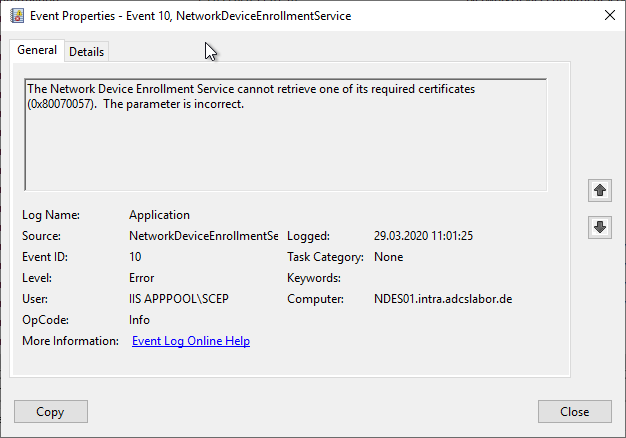
The Network Device Enrollment Service (NDES) logs the error message "The Network Device Enrollment Service cannot retrieve one of its required certificates (0x80070057). The parameter is incorrect."
Assume the following scenario:
- An NDES server is configured on the network.
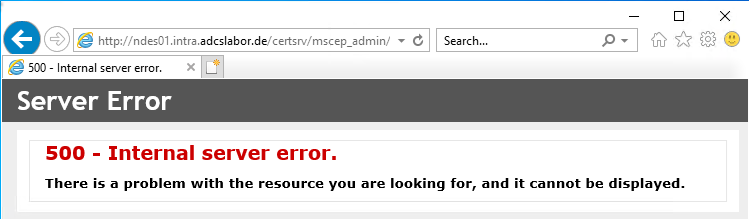
- HTTP error 500 (Internal Server Error) is reported when accessing the NDES request web page (mscep) and the NDES administration web page (certsrv/mscep_admin).
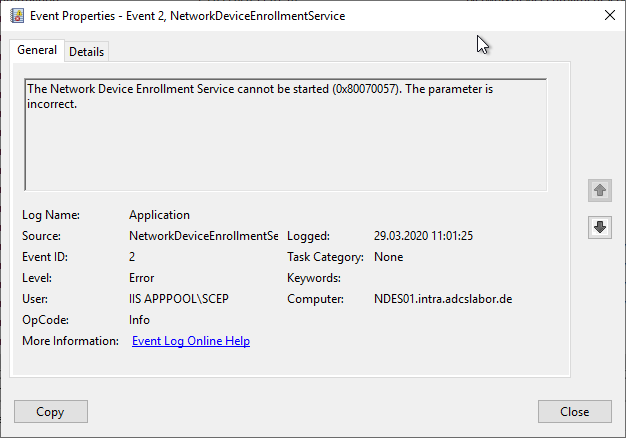
- Events no. 2 and 10 are logged in the Application event log:
The Network Device Enrollment Service cannot be started (0x80070057). The parameter is incorrect.The Network Device Enrollment Service cannot retrieve one of its required certificates (0x80070057). The parameter is incorrect.The Network Device Enrollment Service (NDES) provides a way for devices that do not have an identifier in Active Directory (for example, network devices such as routers, switches, printers, thin clients, or smartphones and tablets) to request certificates from a certification authority. For a more detailed description, see the article "Basics: Network Device Enrollment Service (NDES) ".
Possible causes
Do you know TameMyCerts? TameMyCerts is an add-on for the Microsoft certification authority (Active Directory Certificate Services). It extends the function of the certification authority and enables the application of rule sets to realize the secure automation of certificate issuance. TameMyCerts is unique in the Microsoft ecosystem, has already proven itself in countless companies around the world and is available under a free license. It can be downloaded via GitHub and used free of charge. Professional maintenance is also offered.
This error occurs when the NDES service cannot use the required Registration Authority certificates.
Possible causes may include:
- There are no Registration Authority certificates at all (e.g. if the service was installed manually and these have not yet been requested).
- The Registration Authority (RA) certificates have expired and must be renewed.
- The Registration Authority (RA) certificates use a Key Storage Provider (KSP) instead of a Cryptographic Service Provider (CSP) for the storage of the private keys. The NDES RA certificates must necessarily use a CSP .
- The Registration Authority certificates have been issued by the wrong certification authority. They must always come from the certification authority that the NDES server is configured to use for requesting the device certificates . If several certification authorities offer the Registration Authority certificate templates, it is possible that the wrong certification authority was selected when requesting or renewing the certificates, for example if the request is made via autoenrollment or via the Microsoft Management Console , since in this case a certification authority is selected at random when there are several to choose from.
- One or both Registration Authority certificates do not have the correct Key Usage extension configured . The CEP Encryption certificate requires "Key Encipherment", the Enrollment Agent certificate requires "Signature".
- The SCEP application pool identity in the Internet Information Server (IIS) does not have read access to the private keys of the certificates (for example, if a domain account or a Group Managed Service Account (gMSA) is configured, or if the Registration Authority certificates have been requested manually and no permissions for the SCEP application pool on the private key were granted).
- The Registration Authority certificates cannot be verified because their revocation status
cannot be verified. Examples may include:
- The Registration Authority certificates do not contain any revocation information (CRL Distribution Point, CRLDP), since the certification authority is not configured to enter this information in the issued certificates.
- The CRL distribution points are not accessible.
- The CRLs cannot be retrieved from the CRL distribution point. Here also remember that "Double Escaping" must be enabled on the IIS web server if delta CRLs are used.
- The CRLs have expired.