
The certification authority service does not start and throws the error message "Provider DLL failed to initialize correctly. 0x8009001d (-2146893795 NTE_PROVIDER_DLL_FAIL)."
Assume the following scenario:
- A certification authority is implemented in the network.
- The certification authority service does not start.
- When trying to start the certification authority service, you get the following error message:
Provider DLL failed to initialize correctly. 0x8009001d (-2146893795 NTE_PROVIDER_DLL_FAIL).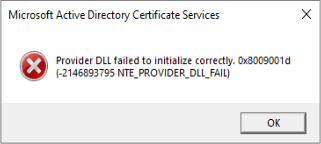
A corresponding event no. 100 can also be found in the Event Viewer of the certification authority:
Active Directory Certificate Services did not start: Could not load or verify the current CA certificate. ADCS Labor Issuing CA 2 Provider DLL failed to initialize correctly. 0x8009001d (-2146893795 NTE_PROVIDER_DLL_FAIL).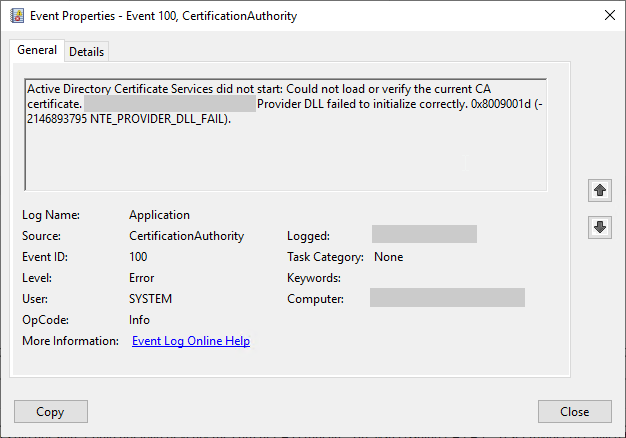
Possible causes
Do you know TameMyCerts? TameMyCerts is an add-on for the Microsoft certification authority (Active Directory Certificate Services). It extends the function of the certification authority and enables the application of rule sets to realize the secure automation of certificate issuance. TameMyCerts is unique in the Microsoft ecosystem, has already proven itself in countless companies around the world and is available under a free license. It can be downloaded via GitHub and used free of charge. Professional maintenance is also offered.
Occurs when the key storage provider (KSP) could not be loaded and therefore there is no access to the private key.
The server in question used the Cavium Key Storage Provider (AWS CloudHSM ). The Cavium Key Storage Provider log files are written to the following directory:
C:\Program Files\Amazon\CloudHSM\Please note that the entries in the log file are entered in UTC time and may therefore differ from the locally configured regional time.
Among other things, the following entries were found there:
ERR: send_cached_info_to_app: No preferred server found
ERR: send_cached_info_to_app: No preferred server found
ERR: buffered_on_event: listenmain network error, closing conn.
INF: buffered_on_event: Added accepted conn:00000123456789AB to zombie list
ERR: buffered_on_event: listenmain network error, closing conn.
INF: buffered_on_event: Added accepted conn:00000123456789AC to zombie list
Thus, no connection to the HSM endpoints could be established. The error occurred immediately after a reboot of the system in question.
Similarly, this can also occur with the SafeNet Key Storage Provider.
External sources
- Working With Client SDK Logs (Amazon Web Services)
- 0x8009001d (-2146893795 NTE_PROVIDER_DLL_FAIL). (Microsoft TechNet Forums)
- What causes NTE_PROVIDER_DLL_FAIL 0x8009001D on a CSP CryptAquireContext ? (Microsoft MSDN Forums)
- Stopping the Windows Authenticating Firewall Service and the boot time policy (Microsoft, archive link)