
Assume the following scenario:
- People are trying to apply for certificates using the ML-DSA algorithm.
- The request fails with the following error message:
The parameter is incorrect. 0x80070057 (WIN32: 87 ERROR_INVALID_PARAMETER)
Depending on how you submitted your application, you'll find the Event with ID 13 of source Microsoft-Windows-CertificateServicesClient-CertEnroll in the client's event log.
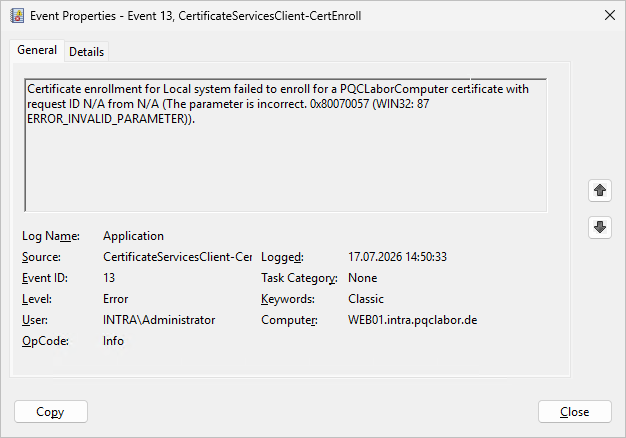
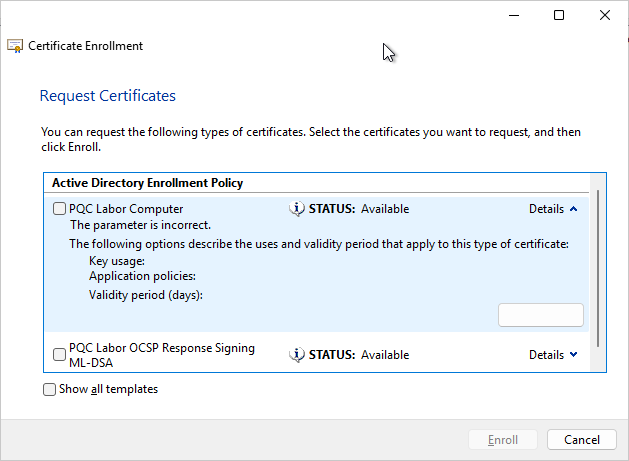
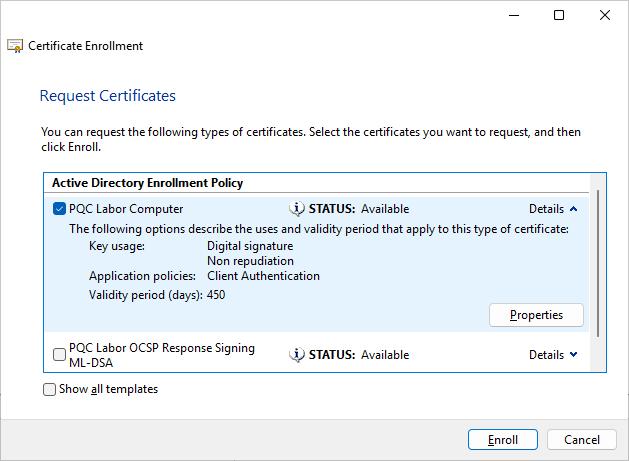
If you try to submit a request through the Microsoft Management Console (MMC), you'll see the same error message there as well.
If we look closely, we can see that no metadata is displayed. The „Properties“ button has no label and cannot be clicked.
Cause
Apparently, Microsoft made a mistake regarding July 2026 (Is it because of the use of AI?).
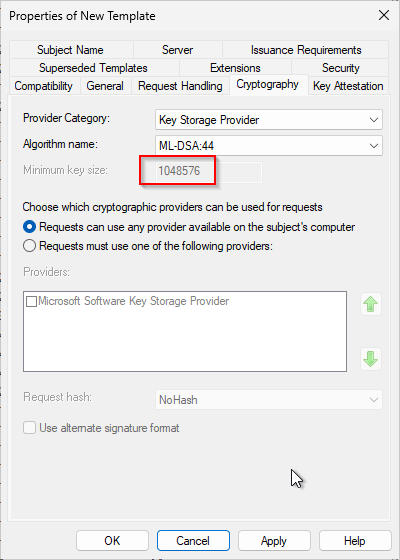
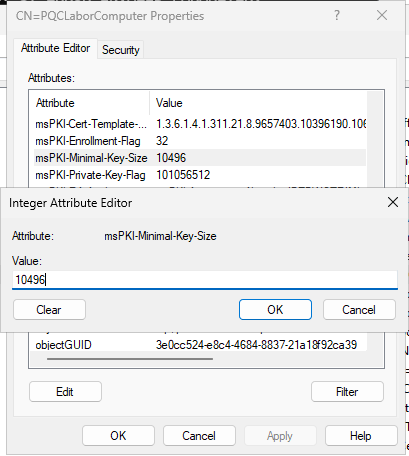
If we look at the configuration dialog for the underlying certificate template, we notice that the minimum key size—1,048,576—is strikingly large, even for ML-DSA. It also does not match the Microsoft Documentation corresponds to.
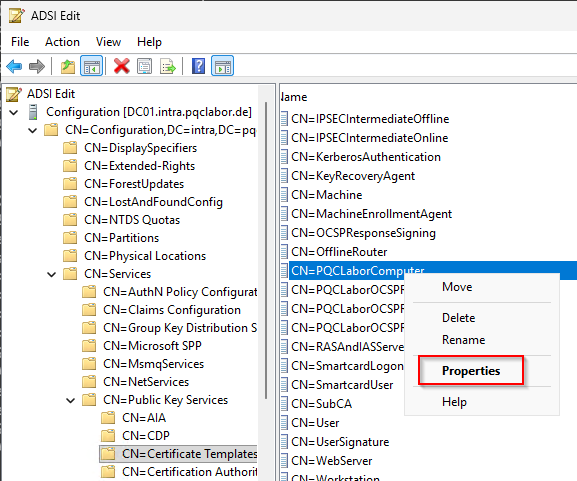
When we edit the certificate template using the ADSI Editor (adsiedit.msc) (CN=Public Key Services,CN=Services,CN=Configuration…), and edit the msPKI minimum key size.
| Algorithm | Key length |
|---|---|
| ML-DSA:44 | 10,496 bits (1,312 bytes) |
| ML-DSA:65 | 15,616 bits (1,952 bytes) |
| ML-DSA:87 | 20,736 bits (2,592 bytes) |
 English
  Deutsch
  Français