
The Online Responder (OCSP) requests new signing certificates every four hours
Assume the following scenario:
- The Online Responders are configured to request signing certificates using a certificate template from an Active Directory integrated certification authority.
- The Online Responders request a new signing certificate at regular intervals (every four hours), even though the existing certificate is still valid for a sufficiently long time.
Do you know TameMyCerts? TameMyCerts is an add-on for the Microsoft certification authority (Active Directory Certificate Services). It extends the function of the certification authority and enables the application of rule sets to realize the secure automation of certificate issuance. TameMyCerts is unique in the Microsoft ecosystem, has already proven itself in countless companies around the world and is available under a free license. It can be downloaded via GitHub and used free of charge. Professional maintenance is also offered.
The Online Responder (Online Certificate Status Protocol, OCSP) is an alternative way of providing revocation status information for certificates. Entities that want to check the revocation status of a certificate do not have to download the complete list of all revoked certificates thanks to OCSP, but can make a specific request for the certificate in question to the Online Responder. For a more detailed description, see the article "Basics: Online Responder (Online Certificate Status Protocol, OCSP) ".
Cause
The Online Responder evaluates the "Certificate Template Information" field to determine whether it has already received a certificate from a specific certificate template.
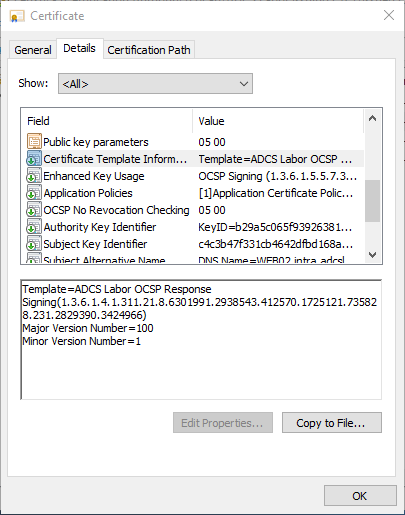
In this case, the certification authority has been configured so that this extension is not written to the issued certificates.
Whether a certification authority is appropriately configured not to write certain extensions to the issued certificates can be checked with the following command:
certutil -getreg policy\DisableExtensionList 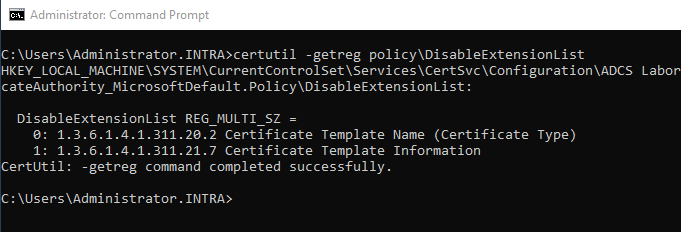
The following commands can be used to remove the object identifiers (OIDs) from the list:
certutil -setreg policy\DisableExtensionList -1.3.6.1.4.1.311.20.2
certutil -setreg policy\DisableExtensionList -1.3.6.1.4.1.311.21.7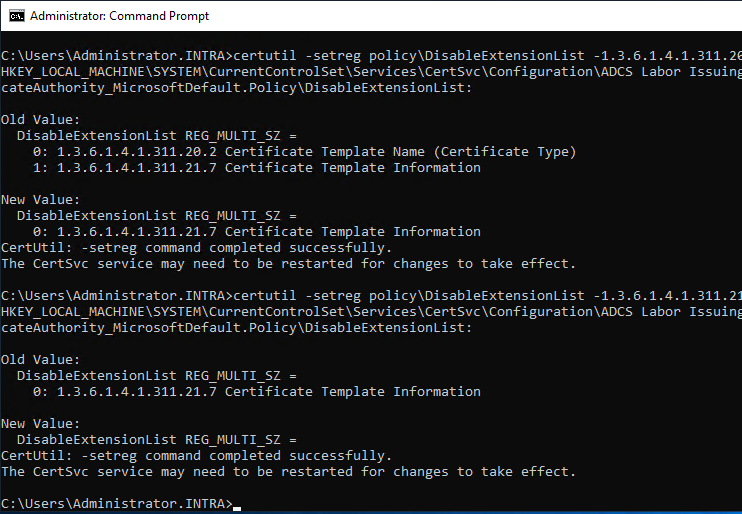
A restart of the certification authority service is then required to apply the configuration. The Online Responders should now request new certificates once more and use them until shortly before they expire.