
If you want to request or renew certificates on a Windows client using the Microsoft Management Console (MMC), you have several options—all of which achieve the same result but behave differently. Below, we’ll discuss the differences.
Do you know TameMyCerts? TameMyCerts is an add-on for the Microsoft certification authority (Active Directory Certificate Services). It extends the function of the certification authority and enables the Application of regulationsto realize the secure automation of certificate issuance. TameMyCerts is unique in the Microsoft ecosystem, has already proven itself in countless companies around the world and is available under a free license. It can downloaded via GitHub and can be used free of charge. Professional maintenance is also offered.
The basics of how it works in general can be found in the article „Basics of manual and automatic certificate requests via Lightweight Directory Access Protocol (LDAP) and Remote Procedure Call / Distributed Common Object Model (RPC/DCOM) with the MS-WCCE protocol„.
The process is the same for automatic certificate enrollment (autoenrollment) as well.
„Apply“ option“
Initial Application
If you start the process without already having a certificate, select the „Request New Certificate…“ option in the certificate folder for the user or computer.
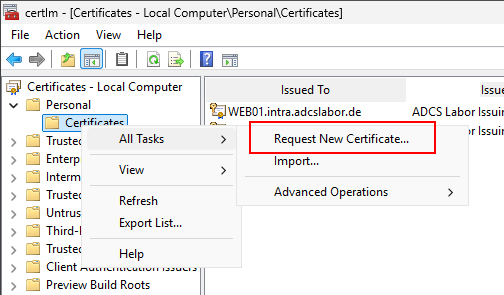
When applying for a certificate, you must provide…
- which certificate template is used
- possibly also which identities should appear in the certificate, provided it is an offline certificate template—that is, one in which the applicant is allowed to specify the identity (the „Supply in the Request“ option in the certificate template)
New Application
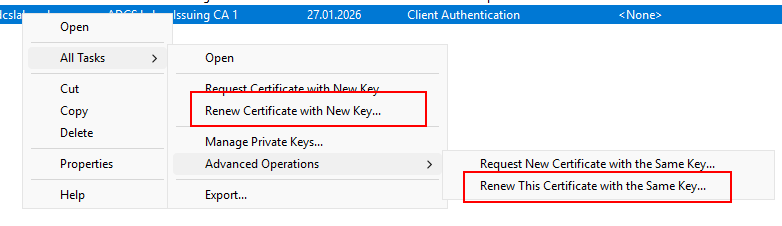
If you already have a certificate, right-clicking on it will give you the following additional options:
- Request Certificate with New Key…
- Request a Certificate with the Same Key…
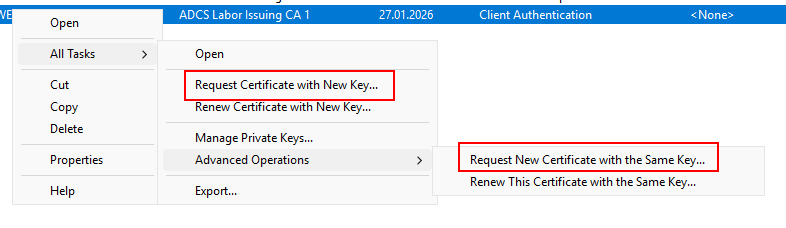
If you select either of these two options, the same certificate template will be reused.
It would be a nice convenience feature if, in the case of an offline certificate template, the identity information (Subject Distinguished Name and Subject Alternative Name) from the previous certificate were also transferred to the new Certificate Signing Request (CSR). However, Microsoft has not provided for this. You have to re-enter all the information.
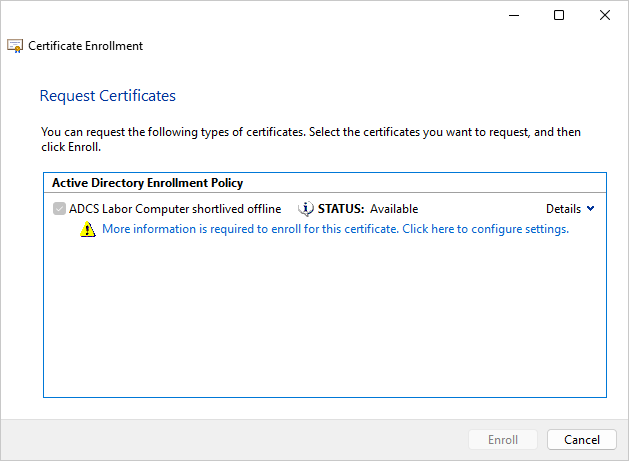
The only difference between the two options is whether to use a new key pair or to reuse the old one.
The underlying data structure
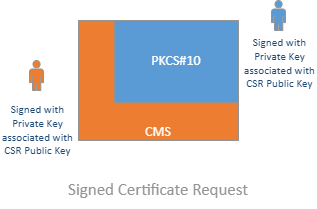
In all of the cases mentioned, the process that takes place behind the scenes is essentially always the same: A PKCS#10 Certificate Signing Request (CSR) is generated. This is packaged into a CMS structure, which is then signed with the private key associated with the underlying CSR.
No Archiving of Previous Certificates
When the „Apply“ option is selected, the predecessor certificate (if available) is always not Marked with the archive bit so that it remains visible in the MMC.
„Renew“ option“
If you already have a certificate, right-clicking on it will give you the following additional options:
- Renew Certificate with a New Key…
- Renew Certificate with the Same Key…
The underlying data structure
Things get interesting under the hood here: When the „Renew“ option is used, a PKCS#10 Certificate Signing Request (CSR) is also generated, which is embedded in CMS, but…
- It contains the same information in the Subject Distinguished Name and Subject Alternative Name fields as the predecessor certificate.
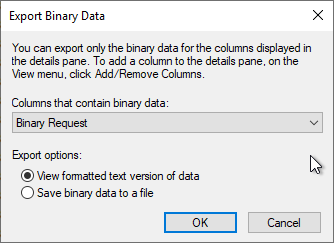
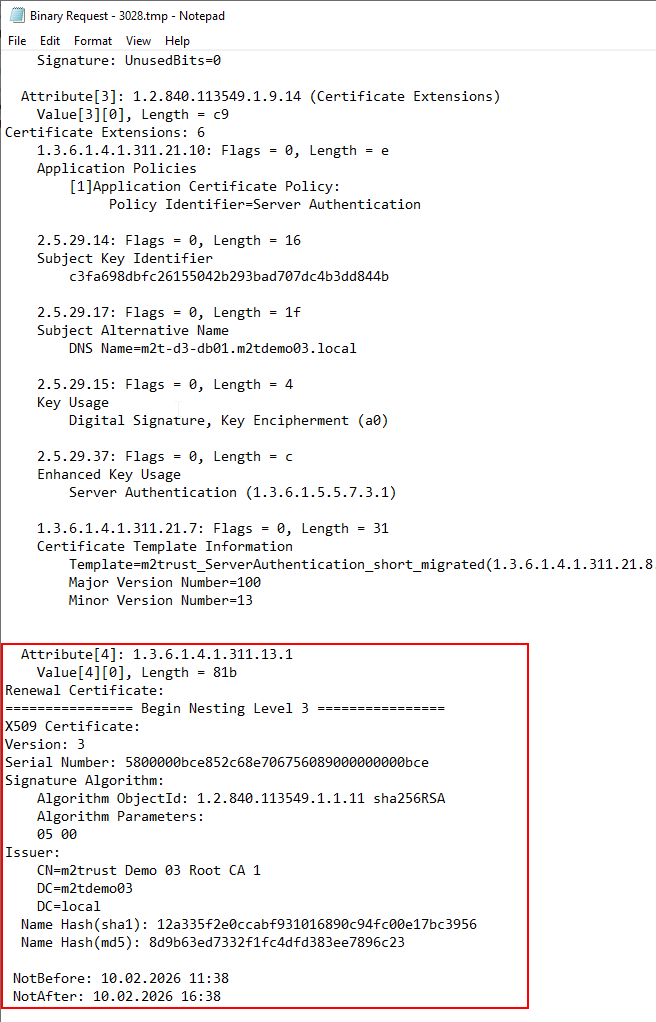
- The embedded PKCS#10 certificate request contains an extension with the Microsoft-proprietary OID 1.3.6.1.4.1.311.13.1 (szOID_RENEWAL_CERTIFICATE), which contains the predecessor certificate.
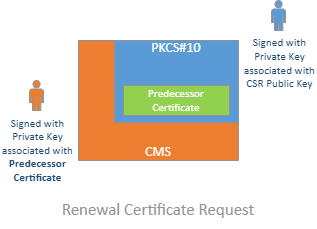
This establishes a cryptographic link between the previous certificate and the new certificate request. Ultimately, the certificate request is authenticated by the fact that the user possesses the existing certificate.

Manual Initial Application – Automatic Renewal
This setup therefore also allows us to process the initial certificate request with manual approval (including as an offline certificate template), while automatically processing renewals, since it ensures that the exact same certificate content is being requested by the same applicant.
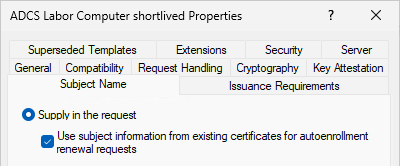
However, it should be noted right away that this only works via autoenrollment. Clicking manually in the MMC does not work.
Archiving of Previous Certificates
In addition, if you select the „Renew“ option, the previous certificate on the client is marked with the archive bit, so that it is no longer visible in the MMC.
Which option does Windows Autoenrollment use?
Windows Autoenrollment actually uses both methods. That means…
- When submitting an initial certificate request, the request is encapsulated in a CMS structure and signed with the CSR's private key.
- When the certificate is later renewed, the corresponding option is used; that is, the certificate request includes the predecessor certificate as an attribute, and the outer CMS structure is signed with the private key of the predecessor certificate.
What may sound trivial makes a significant difference for software developers, for example—so that’s why not Every certificate request is identical.
 English
  Deutsch
  Français