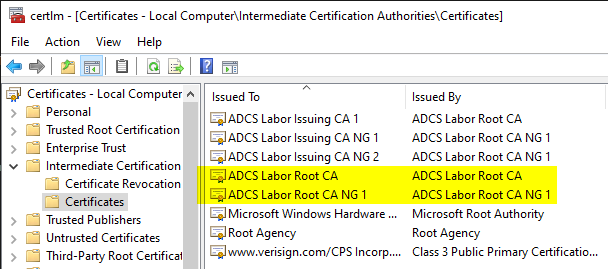
Root CA certificates are imported on domain members into the certificate store for intermediate certification authorities
Some will have noticed that the certificate store for intermediate CAs usually also contains certificates for root CAs.
As a rule, this behavior is not critical. In certain cases however, this can also cause problems with applications.
Cause
Do you know TameMyCerts? TameMyCerts is an add-on for the Microsoft certification authority (Active Directory Certificate Services). It extends the function of the certification authority and enables the application of rule sets to realize the secure automation of certificate issuance. TameMyCerts is unique in the Microsoft ecosystem, has already proven itself in countless companies around the world and is available under a free license. It can be downloaded via GitHub and used free of charge. Professional maintenance is also offered.
Looking at the physical certificate stores, which provides information about the origin of the certificates, it quickly becomes clear that the certificates are replicated to the clients by the Active Directory.
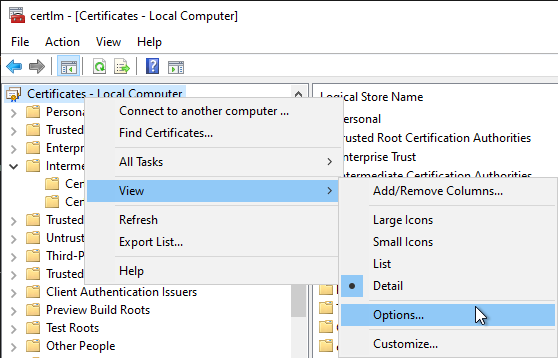
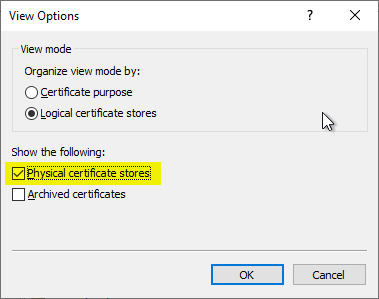
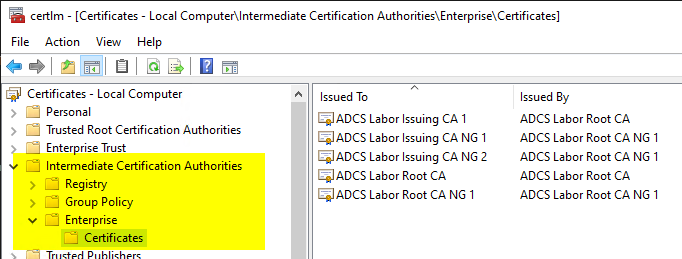
The reason for this is the autoenrollment process , which saves a replica of the "Public Key Services" object from the Active Directory locally. The "AIA" folder is transferred locally to the certificate store for intermediate certification authorities.
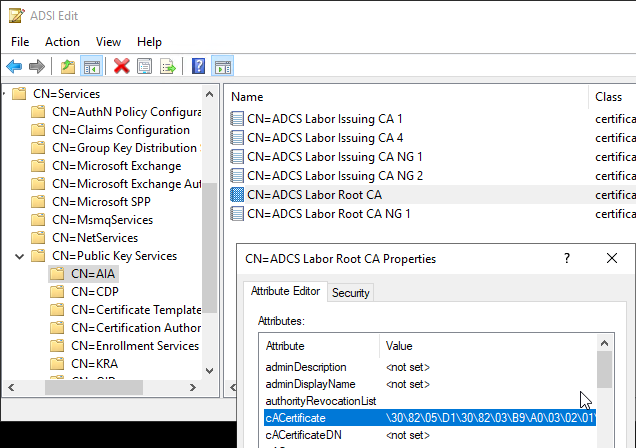
The "AIA" folder can be conveniently viewed via the Enterprise PKI (pkiview.msc) management console.
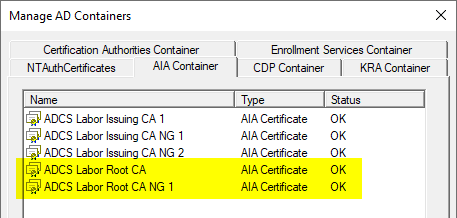
The root CA certificates were imported into the "AIA" folder below "Public Key Services". This is a side effect that usually occurs during the installation of the certification authority.
Usually, the root CA certificate is uploaded to Active Directory after the root CA has been installed. Usually the following command is used for this.
certutil -f -dspublish {Dateiname.crt}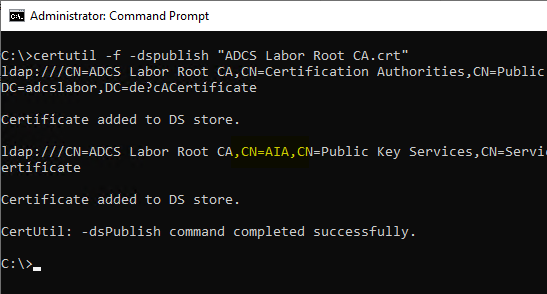
However, as you can see, the certificate is copied not only to "Certification Authorities", but also to "AIA".
Removing root CA certificates from the certificate store for intermediate certification authorities on domain members
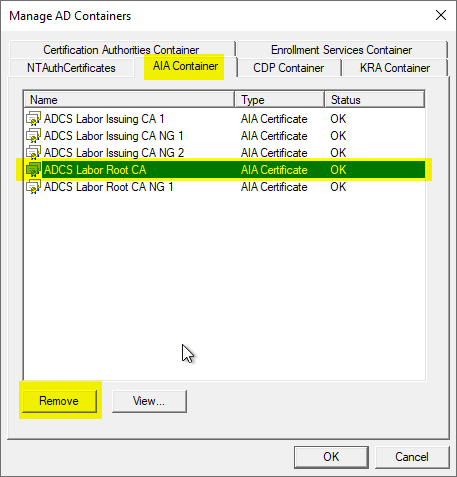
The deletion can be performed via the Enterprise PKI (pkiview.msc) management console. This requires write permissions on the corresponding Active Directory object, which by default is held by the Enterprise Admins group of the forest.
Side effects
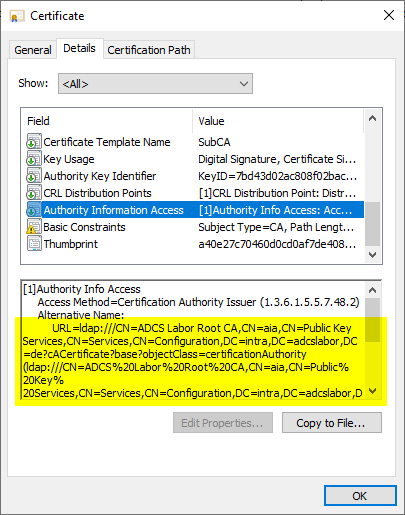
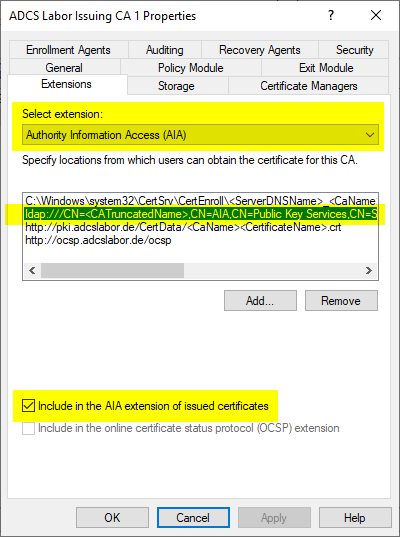
If the root certification authority also uses an LDAP path for Authority Information Access (AIA), it should be considered to deactivate this path for certificates issued in the future.
This change has no effect on certificates already issued. It will only be effective for certificates issued as of this date. However, since the creation of the certificate chain does not use the AIA for root CA certificates, it should not be in use anyway.