
Voici un aperçu des événements générés par l'hôte de session de bureau à distance dans l'Observateur d'événements de Windows qui sont pertinents pour l'infrastructure de clés publiques.
Sources d'événements
Die Ereignisse des Remotedesktop-Sitzungshosts werden in das System-Protokoll geschrieben. Folgende Quellen enthalten PKI-relevante Ereignisse:
- Gestionnaire de connexions à distance Microsoft Windows Terminal Services
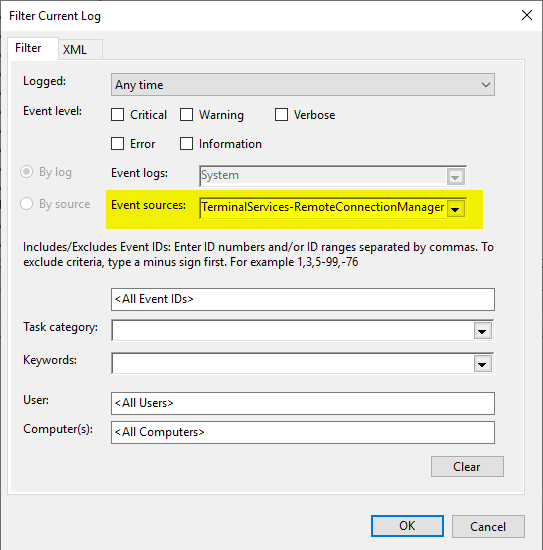
Es empfiehlt sich, einen Filter auf das System-Ereignisprotokoll anzuwenden.
Connaissez-vous TameMyCerts? TameMyCerts est un add-on pour l'autorité de certification Microsoft (Active Directory Certificate Services). Il étend la fonction de l'autorité de certification et permet de Application de la réglementationIl s'agit d'un logiciel de gestion des certificats qui permet d'automatiser l'émission de certificats en toute sécurité. TameMyCerts est unique dans l'écosystème Microsoft, a déjà fait ses preuves dans d'innombrables entreprises du monde entier et est disponible sous une licence libre. Il peut téléchargé via GitHub et être utilisé gratuitement. Une maintenance professionnelle est également proposée.
Ereignisquelle Microsoft-Windows-TerminalServices-RemoteConnectionManager
Connaissez-vous TameMyCerts? TameMyCerts est un add-on pour l'autorité de certification Microsoft (Active Directory Certificate Services). Il étend la fonction de l'autorité de certification et permet de Application de la réglementationIl s'agit d'un logiciel de gestion des certificats qui permet d'automatiser l'émission de certificats en toute sécurité. TameMyCerts est unique dans l'écosystème Microsoft, a déjà fait ses preuves dans d'innombrables entreprises du monde entier et est disponible sous une licence libre. Il peut téléchargé via GitHub et être utilisé gratuitement. Une maintenance professionnelle est également proposée.
| ID | Type | Texte de l'événement |
|---|---|---|
| 1051 | Le serveur hôte de session RD est configuré pour utiliser SSL avec un certificat sélectionné par l'utilisateur, mais aucun certificat utilisable n'a été trouvé sur le serveur. Le certificat par défaut sera désormais utilisé pour l'authentification du serveur hôte de session RD. Veuillez vérifier les paramètres de sécurité à l'aide de l'outil Configuration de l'hôte de session Bureau à distance dans le dossier Outils d'administration. | |
| 1052 | The RD Session Host Server is configured to use a certificate that will expire in %2 days. %1 The SHA1 hash of the certificate is in the event data. Please check the security settings by using the Remote Desktop Session Host Configuration tool in the Administrative Tools folder. | |
| 1053 | The RD Session Host Server is configured to use a certificate that is expired. %1 The SHA1 hash of the certificate is in the event data. The default certificate will be used for RD Session Host Server authentication from now on. Please check the security settings by using the Remote Desktop Session Host Configuration tool in the Administrative Tools folder. | |
| 1054 | The RD Session Host Server is configured to use a certificate that does not contain an Extended Key Usage attribute of Server Authentication. %1 The SHA1 hash of the certificate is in the event data. The default certificate will be used for RD Session Host Server authentication from now on. Please check the security settings by using the Remote Desktop Session Host Configuration tool in the Administrative Tools folder. | |
| 1055 | The RD Session Host Server is configured to use a certificate but is unable to access the private key associated with this certificate. %1 The SHA1 hash of the certificate is in the event data. The default certificate will be used for RD Session Host Server authentication from now on. Please check the security settings by using the Remote Desktop Session Host Configuration tool in the Administrative Tools folder. | |
| 1056 | Information | A new self signed certificate to be used for RD Session Host Server authentication on SSL connections was generated. The name on this certificate is %1. The SHA1 hash of the certificate is in the event data. |
| 1057 | The RD Session Host Server has failed to create a new self signed certificate to be used for RD Session Host Server authentication on SSL connections. The relevant status code was %1. | |
| 1058 | The RD Session Host Server has failed to replace the expired self signed certificate used for RD Session Host Server authentication on SSL connections. The relevant status code was %1. | |
| 1059 | The RD Session Host Server authentication certificate configuration data was invalid and the service reset it. If the computer was configured to use a specific certificate, please verify it is available in the certificate store and use the administrative tools to select it again. | |
| 1062 | The RD Session Host server is configured to use a template-based certificate for Transport Layer Security (TLS) 1.0\Secure Sockets Layer (SSL) authentication and encryption, but the subject name on the certificate is invalid. %1 The SHA1 hash of the certificate is in the event data. Therefore, the default certificate will be used by the RD Session Host server for authentication. To resolve this issue, make sure that template used to create this certificate is configured to use DNS name as subject name . | |
| 1063 | Information | A new template-based certificate to be used by the RD Session Host server for Transport Layer Security (TLS) 1.0\Secure Sockets Layer (SSL) authentication and encryption has been installed. The name for this certificate is %1. The SHA1 hash of the certificate is provided in the event data. |
| 1064 | Erreur | The RD Session Host server cannot install a new template-based certificate to be used for Transport Layer Security (TLS) 1.0\Secure Sockets Layer (SSL) authentication and encryption. The following error occured: %1. |
| 1065 | The template-based certificate that is being used by the RD Session Host server for Transport Layer Security (TLS) 1.0\Secure Sockets Layer (SSL) authentication and encryption has expired and cannot be replaced by the RD Session Host server. The following error occurred: %1. | |
| 1072 | The cn column for the template-based certificate %1 returned an unknown data type %2. | |
| 1073 | The msPKI-Cert-Template-OID column for the template-based certificate %1 returned an unknown data type %2. |
 Français
  Deutsch
  English