
Viewing the CRL table of the certification authority database
By default, the certification authority stores all certificate revocation lists (CRLs) that have not yet expired in the certification authority database.
Under certain circumstances, e.g. due to a misconfigured script, a large number of CRLs are stored in the database in this way, which can lead to a corresponding growth of the database (e.g. if large CRLs are recreated very often).
Do you know TameMyCerts? TameMyCerts is an add-on for the Microsoft certification authority (Active Directory Certificate Services). It extends the function of the certification authority and enables the application of rule sets to realize the secure automation of certificate issuance. TameMyCerts is unique in the Microsoft ecosystem, has already proven itself in countless companies around the world and is available under a free license. It can be downloaded via GitHub and used free of charge. Professional maintenance is also offered.
Database schema for the CRL table
To make queries against the CRL table of the certification authority database, one must first identify the required database fields. This can be done with the following command:
certutil -schema CRL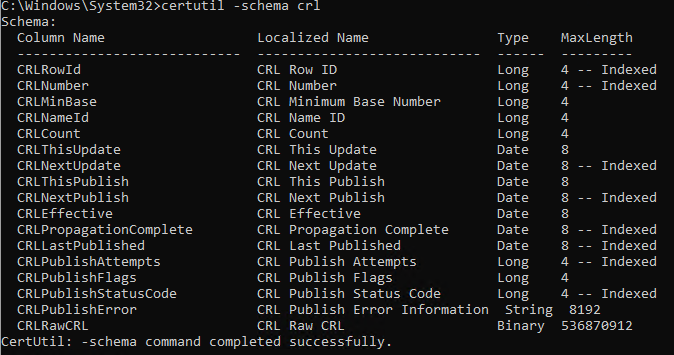
Listing the CRLs in the CRL table
An overview of the CRLs held in the CRL table can then be obtained with the following command, for example:
certutil -view -out "CRLNumber,CRLThisUpdate,CRLNextUpdate" CRL csv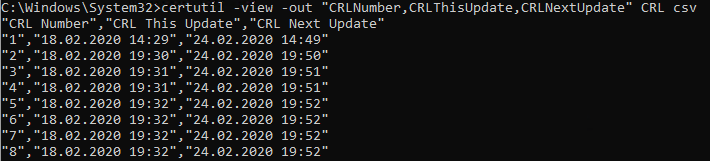
Deletion of entries from the CRL table
A CRL can be deleted from the certification authority database by specifying the CRL number with the following command line command.
certutil -deleterow {CRL-Nummer} CRL
Determine and modify the storage behavior for CRLs
Whether or not the certification authority removes expired CRLs from the certification authority database (default setting) is determined by the flag CRLF_DELETE_EXPIRED_CRLS within the CRLFlags registry value. This can be determined with the following command.
certutil -v -getreg CA\CRLFlags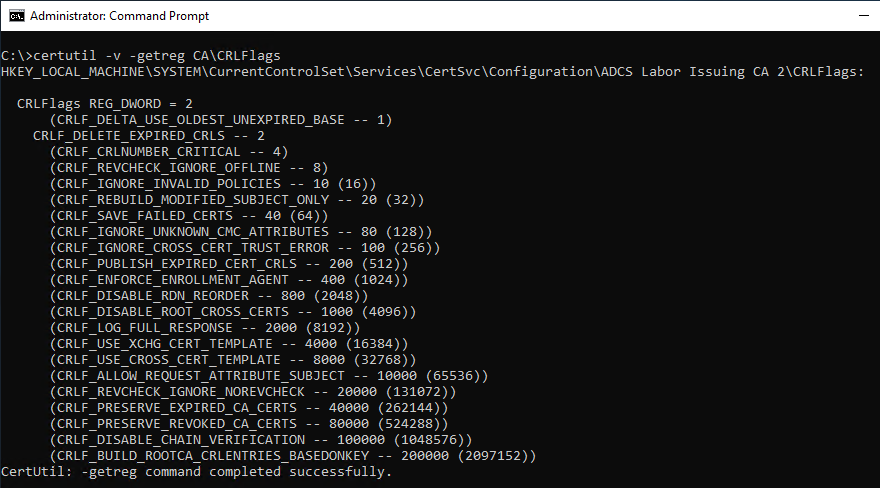
This command can be used to disable the deletion of expired CRLs from the certification authority database:
certutil -setreg CA\CRLFlags -CRLF_DELETE_EXPIRED_CRLS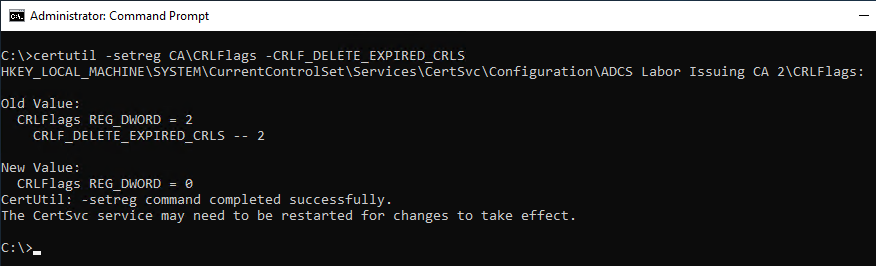
This command can be used to re-enable the deletion of expired CRLs from the certification authority database:
certutil -setreg CA\CRLFlags +CRLF_DELETE_EXPIRED_CRLS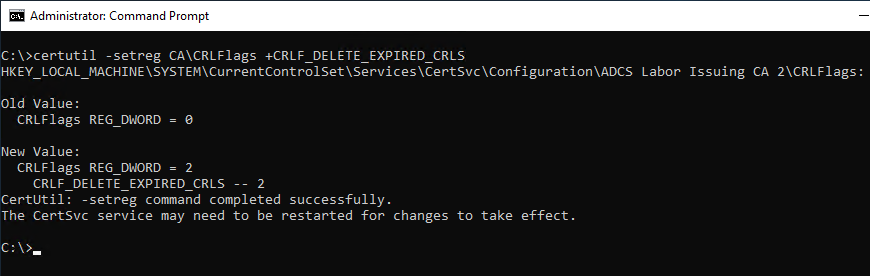
The changes become active only after restarting the certification authority service.