
Using Microsoft Network Load Balancing (NLB) for the CRL distribution points (CDP), Authority Information Access (AIA) and Online Responders (OCSP)
It is generally a good idea to ensure the availability of the CRL distribution points (CDP), Authority Information Access (AIA), and if available, Online Responders (OCSP) at all times.
Access to the revocation information is even more critical than access to the certification authority itself. If the revocation status of a certificate cannot be checked, it is possible (depending on the application) that the certificate is not considered trustworthy and the associated IT service cannot be used.
Do you know TameMyCerts? TameMyCerts is an add-on for the Microsoft certification authority (Active Directory Certificate Services). It extends the function of the certification authority and enables the application of rule sets to realize the secure automation of certificate issuance. TameMyCerts is unique in the Microsoft ecosystem, has already proven itself in countless companies around the world and is available under a free license. It can be downloaded via GitHub and used free of charge. Professional maintenance is also offered.
Sometimes it is necessary for a certificate issued by a certification authority to be withdrawn from circulation even before its expiration date. To make this possible, a certification authority maintains a certificate revocation list. This is a signed file with a relatively short expiration date, which is used in combination with the certificate to check its validity.
The Online Responder (Online Certificate Status Protocol, OCSP) is an alternative way of providing revocation status information for certificates. Entities that want to check the revocation status of a certificate do not have to download the complete list of all revoked certificates thanks to OCSP, but can make a specific request for the certificate in question to the Online Responder. For a more detailed description, see the article "Basics: Online Responder (Online Certificate Status Protocol, OCSP) ".
In order to be able to operate several servers with high availability behind only one DNS name, it is necessary to place load balancers in front of them, which take care of the distribution of the requests. This cannot always be done with hardware load balancers. In such a case, the software-based load balancer called Microsoft Network Load Balancing (NLB), which is supplied with the Windows Server operating system, can be a useful option.
Disadvantages compared to a hardware load balancer
- Poorer performance at high load because processing is done in software.
- No health probes possible, i.e. if for example not the whole server is down, but only the service, clients run into an error.
- In unicast mode, no management of NLB functions is possible from the cluster nodes themselves.
- May require configuration changes to the participating servers and infrastructure (e.g. when they are virtualized).
Setup
The following operating modes are possible with Microsoft Network Load Balancing:
- In unicast mode, each network card has only the MAC address of the cluster.
- In multicast mode (recommended), each network card has an additional MAC address for the cluster.
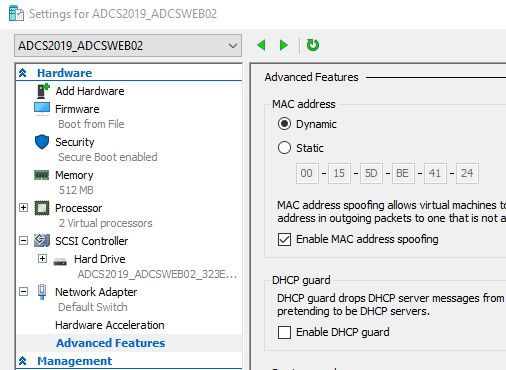
If the cluster nodes are located on a Microsoft Hyper-V server, MAC address spoofing must be allowed in the virtual machine network card settings.
The Network Load Balancing feature must be installed on each cluster node. This can be done, for example, with the following Windows PowerShell command:
Add-WindowsFeature NLB -IncludeManagementTools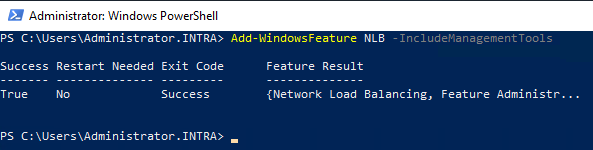
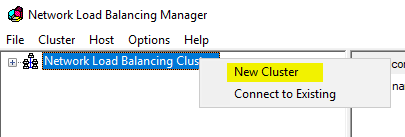
The Network Load Balancing Manager can then be started from one of the cluster nodes.
A new cluster is created there.
The IP address or host name of the first cluster node is entered and a connection to it is established.
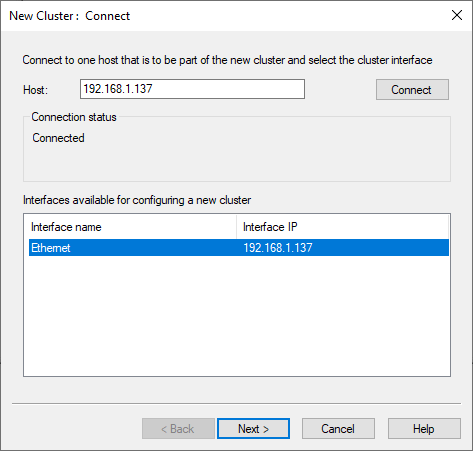
The following dialog can be left with the default settings.
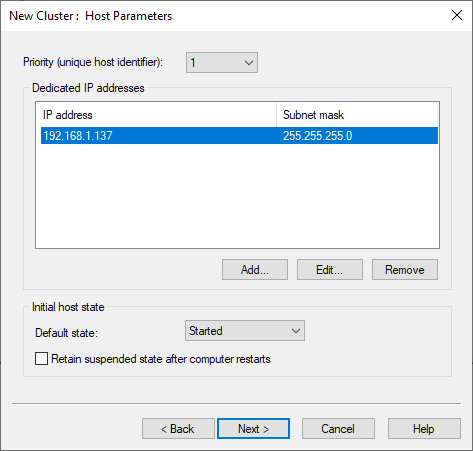
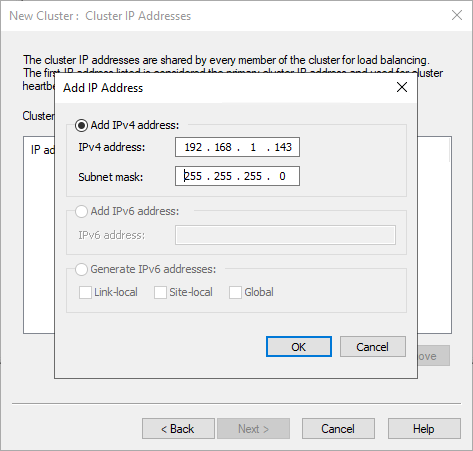
The cluster IP address is then created.
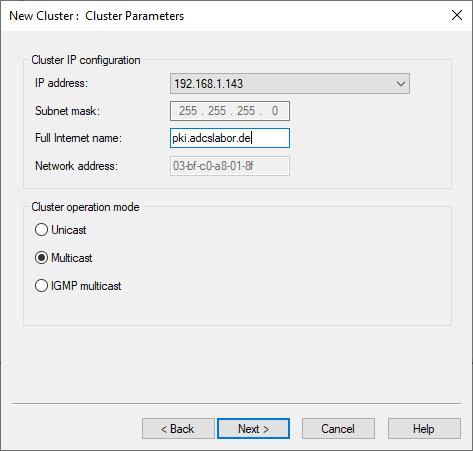
Then a name is assigned to the cluster and the operating mode is selected. The choice of mode depends on the possibilities of the infrastructure. See "Configuring network infrastructure to support the NLB operation mode " (Microsoft). In this example, multicast mode is used.
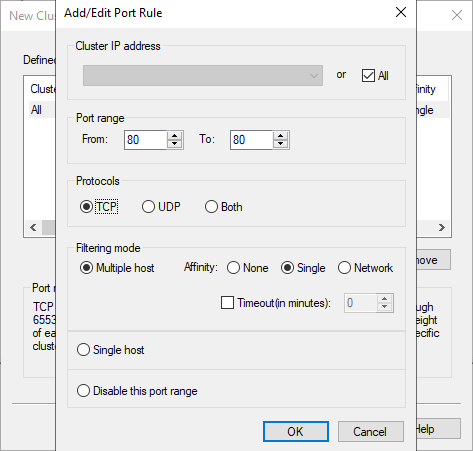
In the next dialog the port range is restricted. For CDP, AIA and OCSP it is sufficient to restrict the range to TCP port 80.
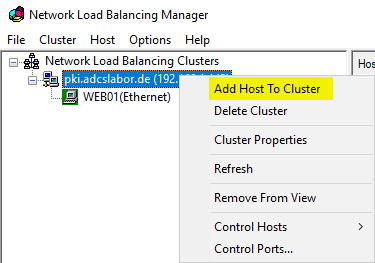
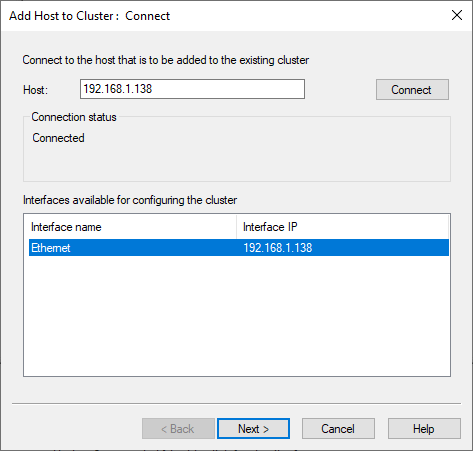
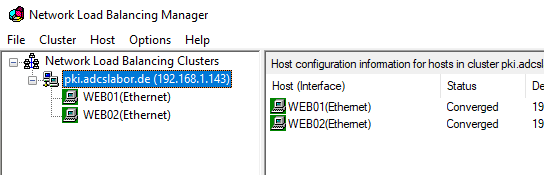
Finally, the other cluster nodes are added.
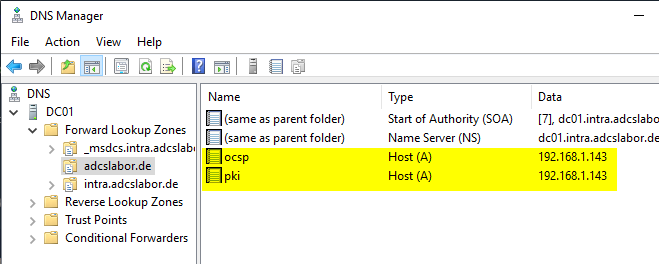
Caution: A corresponding entry must still be created in the Domain Name System (DNS) for the PKI services, which points to the cluster, or the existing entries must be adapted accordingly so that they point to the cluster.
Related links:
External sources
- Configuring network infrastructure to support the NLB operation mode (Microsoft)
- Network Load Balancing (Microsoft)
- Microsoft Network Load Balancing Multicast and Unicast operation modes (1006580) (VMware)
- Sample Configuration - Network Load Balancing (NLB) Multicast Mode Configuration (1006558) (VMware)