
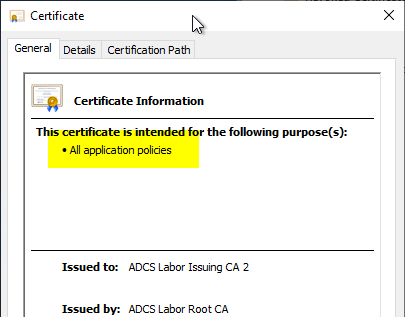
List of certificate use cases for which compatibility with elliptic curve (ECC)-based keys is known

As computing power becomes increasingly available, the need to use stronger cryptographic keys also increases. In this course, there is often a need (for example, because the keys have to be protected by a Trusted Platform Module) to use keys based on elliptic curves (ECC) . For their use, it is essential that compatibility with the intended use cases is ensured.

Below is a list of use cases for which I know the compatibility.
Continue reading "List of certificate use cases for which compatibility with elliptic curve (ECC)-based keys is known"

Requesting certificates with elliptic curve based keys fails when using the Microsoft Platform Crypto Provider

Assume the following scenario:

Error: The requested operation is not supported. 0x80090029 (-2146893783 NTE_NOT_SUPPORTED)

On Windows Server 2016, the error message "No provider was specified for the store or object. 0x80092006 (-2146885626 CRYPT_E_NO_PROVIDER)" is issued with otherwise identical behavior.

Continue reading "Requesting certificates with elliptic curve based keys fails when using the Microsoft Platform Crypto Provider"

Basics: Cryptographic Service Provider (CSP) and Key Storage Provider (KSP)

Since Windows NT 4.0, Cryptographic Service Providers (CSP) have been part of the CryptoAPI.

The idea is that an application does not have to worry about the specific implementation of key management, but can leave this to generic operating system interfaces. This also prevents cryptographic keys from being loaded into the working memory in the security context of the user/application used (a fatal security incident based precisely on this problem was the Heartbleed incident ).

For example, it makes no technical difference to the certification authority software how its private key is protected - whether in software or with a hardware security module (HSM), for example. The call of the private key is always identical for the certification authority.

With Windows Vista and the introduction of Cryptography Next Generation (CNG) as a replacement for CryptoAPI, Key Storage Providers (KSP) were introduced.

Continue reading "Basics: Cryptographic Service Provider (CSP) and Key Storage Provider (KSP)"

Troubleshooting for automatic certificate request (autoenrollment) via RPC/DCOM (MS-WCCE)

Assume the following scenario:

  • A certificate template is configured for automatic certificate request (autoenrollment).
  • The certificate template is published on a certification authority (Enterprise Certification Authority) integrated into Active Directory.
  • However, the users or computers configured for automatic certificate request do not request certificates as intended.

The following is a troubleshooting guide.

Continue reading "Troubleshooting for automatic certificate request (autoenrollment) via RPC/DCOM (MS-WCCE)"

Details of the event with ID 85 of the source Microsoft-Windows-CertificateServicesClient-CertEnroll

Event Source:Microsoft-Windows-CertificateServicesClient-CertEnroll
Event ID:85 (0x825A0055)
Event log:Application
Event type:Warning
Event text (English):Certificate enrollment for %1 for the %2 template could not perform attestation due to an error with the cryptographic hardware using the provider: %3. Request Id: %4.%5
Event text (German):Von der Zertifikatregistrierung für "%1" für die %2-Vorlage konnte kein Nachweis durchgeführt werden, da ein Fehler mit der Kryptografiehardware mit dem Anbieter %3 aufgetreten ist. Anforderungs-ID: %4.%5

Continue reading "Details of the event with ID 85 of the source Microsoft-Windows-CertificateServicesClient-CertEnroll"

Details of the event with ID 86 of the source Microsoft-Windows-CertificateServicesClient-CertEnroll

Event Source:Microsoft-Windows-CertificateServicesClient-CertEnroll
Event ID:86 (0xC25A0056)
Event log:Application
Event type:Error
Event text (English):SCEP Certificate enrollment initialization for %1 via %2 failed: %3 Method: %4 Stage: %5 %6
Event text (German):Fehler bei der Initialisierung der SCEP-Zertifikatregistrierung für %1 über %2: %3 Methode: %4 Phase: %5 %6

Continue reading "Details of the event with ID 86 of the source Microsoft-Windows-CertificateServicesClient-CertEnroll"

Configuring the Trusted Platform Module (TPM) Key Attestation

Since Windows 8, it is possible to protect the private keys of certificates with a Trusted Platform Module (TPM), if one is present . This makes the key non-exportable - even with tools like mimikatz.

However, it is not obvious at first glance that it cannot be guaranteed that a TPM is really used. It is true that no request via the Microsoft Management Console or autoenrollment is possible if the computer does not have a TPM.

However, the configuration in the certificate template is only a default setting for the client. When a certificate is requested, the certification authority will not explicitly check whether a Trusted Platform Module was really used .

To ensure that the private key of a certificate request has really been protected with a Trusted Platform Module, only the TPM Key Attestation remains.

Continue reading "Configuring the Trusted Platform Module (TPM) Key Attestation"

Requesting a certificate protected by a Trusted Platform Module (TPM) - without owning a TPM

Since Windows 8, it is possible to protect private keys for certificates with a Trusted Platform Module (TPM), if one is available . This makes the key non-exportable - even with tools like mimikatz.

However, it is not obvious at first glance that it cannot be guaranteed that a TPM is really used. Admittedly, no request via the Microsoft Management Console or autoenrollment will be possible if the computer does not have a TPM.

However, the configuration in the certificate template is merely a default setting for the client. The certification authority will not explicitly check whether a trusted platform module has actually been used when a request is made.

Thus - if the certificate request is done away from the MMC - arbitrary parameters can be used for the private key.

Continue reading "Requesting a certificate protected by a Trusted Platform Module (TPM) - without owning a TPM"

Requesting a certificate is not possible because the certificate template is not displayed. The error message is "Can not find a valid CSP in the local machine."

Assume the following scenario:

  • A certificate is requested for a user or a computer from a certification authority via the certificate management console (certlm.msc or certmgr.msc).
  • Autoenrollment does not request a certificate from the desired certificate template, although it is enabled and the permissions are set accordingly.
  • The desired certificate template is not displayed when requesting manually via the Microsoft Management Console (MMC). If the "Show all templates" check box is selected, the following error message is displayed for the desired certificate template:
Cannot find object or property.
Can not find a valid CSP in the local machine.

Continue reading "Requesting a certificate is not possible because the certificate template is not displayed. The error message is "Can not find a valid CSP in the local machine.""

Configuring a certificate template to use the Microsoft Platform Crypto Provider to enable private key protection by a Trusted Platform Module (TPM)

Since Windows 8, it has been possible to protect the private keys of certificates with a Trusted Platform Module (TPM), if one is present. This ensures that the key is truly non-exportable.

The process for setting up a certificate template that uses a Trusted Platform Module is described below.

Continue reading "Configuring a certificate template to use the Microsoft Platform Crypto Provider to enable private key protection by a Trusted Platform Module (TPM)"

Requesting a Trusted Platform Module (TPM) protected certificate fails with error message "The requested operation is not supported. 0x80090029 (-2146893783 NTE_NOT_SUPPORTED)"

Assume the following scenario:

  • A certificate template is configured to use the Microsoft Platform Crypto Provider, so the private key generated when the certificate is requested is protected with a Trusted Platform Module (TPM).
  • However, requesting certificates fails with the following error message:
An error occurred while enrolling for a certificate.
A certificate request could not be created.
Url: CA02.intra.adcslabor.de\ADCS Labor Issuing CA 1
Error: The requested operation is not supported. 0x80090029 (-2146893783 NTE_NOT_SUPPORTED)

Continue reading "Requesting a Trusted Platform Module (TPM) protected certificate fails with error message "The requested operation is not supported. 0x80090029 (-2146893783 NTE_NOT_SUPPORTED)""

Include the issuance policies for Trusted Platform (TPM) Key Attestation in a certification authority certificate

If you install an issuing CA and do not explicitly request an issuance policy, the resulting CA certificate does not contain any issuance policies.

If you want to include the issuance policies for Trusted Platform (TPM) Key Attestation in the certification authority certificate, you must proceed as follows.

Continue reading "Include the issuance policies for Trusted Platform (TPM) Key Attestation in a certification authority certificate"

Determine and export a Trusted Platform Module (TPM) Endorsement Certificate

If you want to use the Trusted Platform Module (TPM) key attestation, you have the option of attesting the TPM via the endorsement certificate (EkCert), among other things. The following describes how to obtain this information.

Continue reading "Determine and export a Trusted Platform Module (TPM) Endorsement Certificate"

Determine the checksum (hash) of a Trusted Platform Module (TPM) Endorsement Key

If you want to use the Trusted Platform Module (TPM) key attestation, you have the option of attesting the TPM via the endorsement key (EkPub), among other things. The following describes how to obtain this information.

Continue reading "Determine the checksum (hash) of a Trusted Platform Module (TPM) Endorsement Key"

Creating a virtual smart card in a Hyper-V guest system

For test environments, it is often helpful to be able to work with smart cards. Below is a brief guide on how to set up a virtual smart card in a Hyper-V guest using a virtualized Trusted Platform Module (TPM).

Continue reading "Creating a virtual smart card in a Hyper-V guest system"