
Required firewall rules for Certification Authority Web Enrollment (CAWE)
Implementing Certification Authority Web Enrollment (CAWE) often requires planning the firewall rules to be created on the network. The following is a list of the required firewall rules and any pitfalls.
Certification Authority Web Enrollment is a very old feature from Windows 2000 times - and was last adapted with the release of Windows Server 2003. Accordingly, the code is old and potentially insecure. Likewise, the feature supports no certificate templates with version 3 or newer - this means that certificate templates that use functions introduced with Windows Vista / Windows Server 2008 or newer cannot be used. It is recommended that you do not use Certification Authority Web Enrollment and instead request certificates via built-in tools or the PSCertificateEnrollment PowerShell module.
Required firewall rules from clients to Certification Authority Web Enrollment
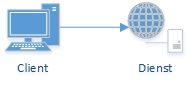
In order for clients to use Certification Authority Web Enrollment, they must be able to access it using either HTTP (not recommended) or HTTPS.
| Network protocol | Destination port | Protocol |
|---|---|---|
| TCP | 80 | Hypertext Transfer Protocol (HTTP, not recommended) |
| TCP | 443 | Hypertext Transfer Protocol Secure (HTTPS) |
Required firewall rules from Certification Authority Web Enrollment to the certification authority
Do you know TameMyCerts? TameMyCerts is an add-on for the Microsoft certification authority (Active Directory Certificate Services). It extends the function of the certification authority and enables the application of rule sets to realize the secure automation of certificate issuance. TameMyCerts is unique in the Microsoft ecosystem, has already proven itself in countless companies around the world and is available under a free license. It can be downloaded via GitHub and used free of charge. Professional maintenance is also offered.
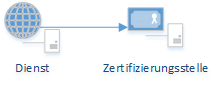
Just as for all other clients, the ports for requesting certificates from the certification authority must be opened.
| Network protocol | Destination port | Protocol |
|---|---|---|
| TCP | 135 | RPC Endpoint Mapper |
| TCP | 49152-65535 | RPC dynamic ports |
Required firewall rules from the certification authority to Certification Authority Web Enrollment
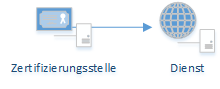
What is special about the CAWE role is that the certification authority, in response to a certificate request from the CAWE server, attempts to open a connection to that server's dynamic RPC ports. If this firewall rule is not set up, requesting certificates via CAWE takes a very long time or aborts completely. The firewall rule must be set up both on the network and on the local Windows firewall of the CAWE server.
| Network protocol | Destination port | Protocol |
|---|---|---|
| TCP | 135 | RPC Endpoint Mapper |
| TCP | 49152-65535 | RPC dynamic ports |
Certification Authority Web Enrollment to the domain
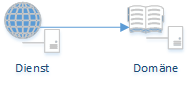
The CAWE server itself is a domain member, so the general rules for domain communication apply here.
| Network protocol | Destination port | Protocol |
|---|---|---|
| TCP and UDP | 53 | Domain Name System |
| TCP | 88 | Kerberos |
| UDP | 123 | NTP |
| TCP | 135 | RPC Endpoint Mapper |
| TCP and UDP | 389 | LDAP |
| TCP | 445 | Server Message Block RPC Named Pipes |
| TCP | 636 | LDAP over SSL |
| TCP | 3268 | LDAP-GC |
| TCP | 3269 | LDAP-GC over SSL |
| TCP | 49152-65535 | RPC dynamic ports |
Restore the default Windows Firewall rules
Please note that the default rules below do not include communication from the certification authority to Web Enrollment. A separate firewall rule must be created for this.
Enable-NetFirewallRule -Name "IIS-WebServerRole-HTTP-In-TCP"
Enable-NetFirewallRule -Name "IIS-WebServerRole-HTTPS-In-TCP"
Related links:
- Requesting a certificate via Certification Authority Web Enrollment takes a very long time
- Firewall rules required for Active Directory Certificate Services
- Required firewall rules for the Network Device Enrollment Service (NDES)
- Required firewall rules for the Certificate Enrollment Policy Web Service (CEP)
- Required firewall rules for the Certificate Enrollment Web Service (CES)
- Required firewall rules for the Online Responder (OCSP)