
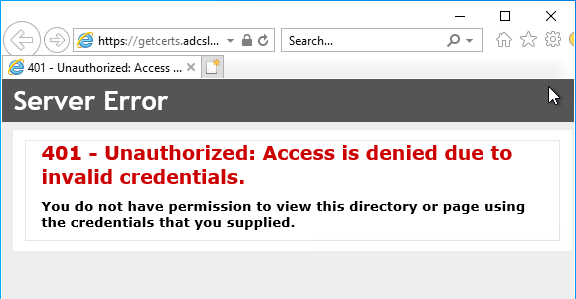
Requesting a certificate via Certification Authority Web Enrollment (CAWE) fails with HTTP error code 401 "Unauthorized: Access is denied due to invalid credentials."
Assume the following scenario:
- A Certification Authority Web Enrollment (CAWE) server is installed on the network.
- The role is installed on a separate server, not on the certification authority directly.
- A user attempts to request a certificate via Certification Authority Web Enrollment or submit an existing certificate request to the certification authority.
- The user's logon to CAWE fails with HTTP code 401 "Unauthorized: Access is denied due to invalid credentials.":
You do not have permission to view this directory or page using the credentials that you supplied.Certification Authority Web Enrollment is a very old feature from Windows 2000 times - and was last adapted with the release of Windows Server 2003. Accordingly, the code is old and potentially insecure. Likewise, the feature supports no certificate templates with version 3 or newer - this means that certificate templates that use functions introduced with Windows Vista / Windows Server 2008 or newer cannot be used. It is recommended that you do not use Certification Authority Web Enrollment and instead request certificates via built-in tools or the PSCertificateEnrollment PowerShell module.
Possible causes
Do you know TameMyCerts? TameMyCerts is an add-on for the Microsoft certification authority (Active Directory Certificate Services). It extends the function of the certification authority and enables the application of rule sets to realize the secure automation of certificate issuance. TameMyCerts is unique in the Microsoft ecosystem, has already proven itself in countless companies around the world and is available under a free license. It can be downloaded via GitHub and used free of charge. Professional maintenance is also offered.
- Most likely, incorrect credentials were entered. If an authentication dialog came up even though Windows authentication is enabled, the address of CAWE should be added to the "Local Intranet" zone in Internet Explorer.
- A logon restriction is configured for the user account logging on.
Details: A logon restriction is configured for the user account logging on
The behavior may occur if a logon restriction is set in the account of the user logging on, for example, the userWorkstations attribute.
Microsoft recommends that you no longer use the attribute.
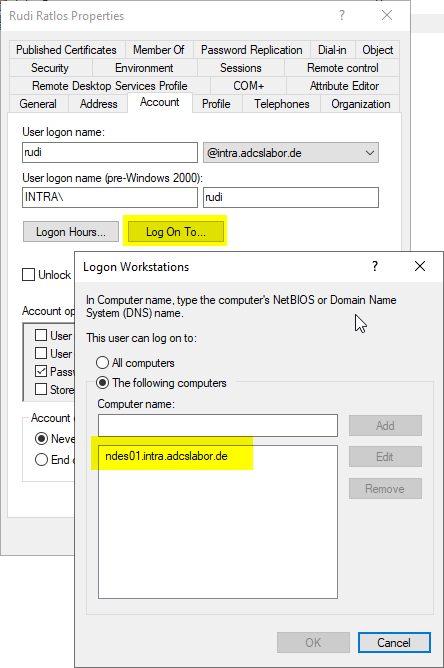
The attribute can be queried via Windows PowerShell with the following command:
Get-ADUser -Identity {Kontoname} -Properties userWorkstations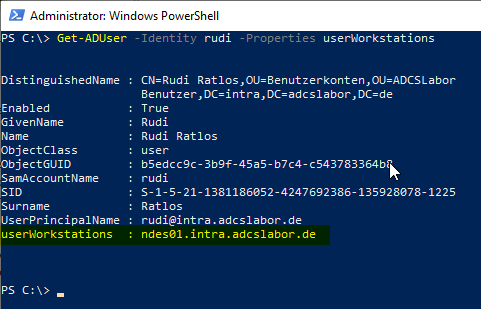
Related links:
- Configure Certification Authority Web Enrollment (CAWE) for use with a group managed service account (gMSA)
- Configure Certification Authority Web Enrollment (CAWE) for use with a domain account
External sources
- User-Workstations attribute (Microsoft)