
Logon via smart card fails with error message "Signing in with a security device isn't supported for your account."
Assume the following scenario:
- A user has a Smartcard Logon certificate and uses it to log on to the Active Directory domain.
- The logon fails. The following error message is returned to the user on their computer:
Signing in with a security device isn't supported for your account. For more info, contact your administrator.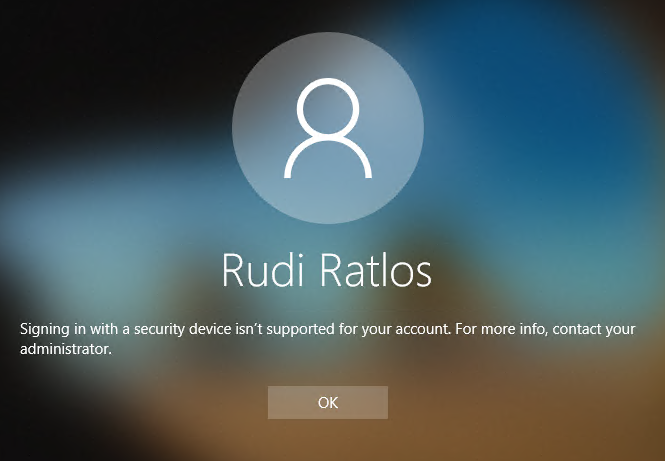
In German, the message reads:
Die SmartCard-Anmeldung wird für ihr Konto nicht unterstützt.Corresponding events should also be logged on the authenticating domain controller:
- Details of the event with ID 19 of the source Microsoft-Windows-Kerberos-Key-Distribution-Center
- Details of the event with ID 29 of the source Microsoft-Windows-Kerberos-Key-Distribution-Center
This event indicates an attempt was made to use smartcard logon, but the KDC is unable to use the PKINIT protocol because it is missing a suitable certificate.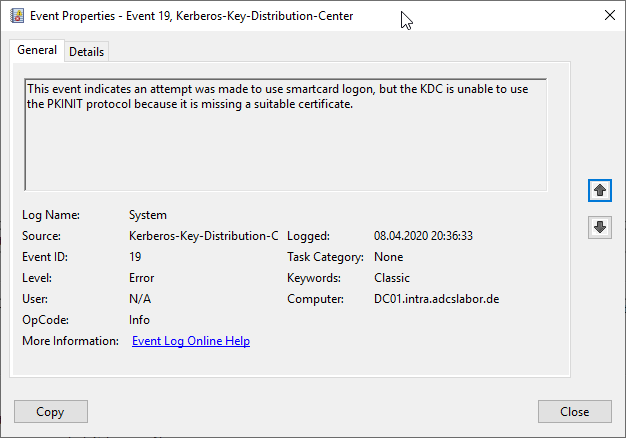
The Key Distribution Center (KDC) cannot find a suitable certificate to use for smart card logons, or the KDC certificate could not be verified. Smart card logon may not function correctly if this problem is not resolved. To correct this problem, either verify the existing KDC certificate using certutil.exe or enroll for a new KDC certificate.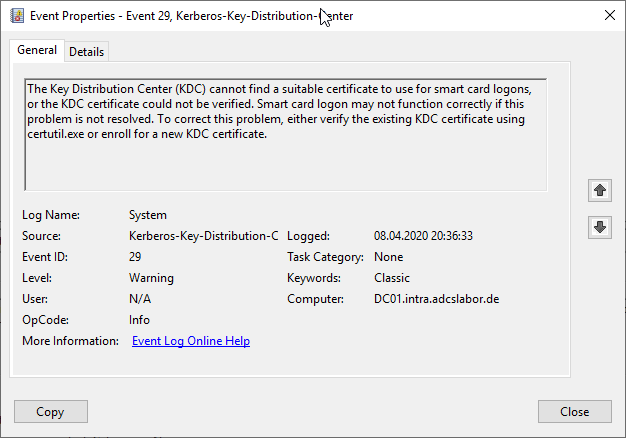
Possible causes
Do you know TameMyCerts? TameMyCerts is an add-on for the Microsoft certification authority (Active Directory Certificate Services). It extends the function of the certification authority and enables the application of rule sets to realize the secure automation of certificate issuance. TameMyCerts is unique in the Microsoft ecosystem, has already proven itself in countless companies around the world and is available under a free license. It can be downloaded via GitHub and used free of charge. Professional maintenance is also offered.
Among other things, the error occurs
- if the domain controllers do not have any certificates that can be used for smart card logon (for example, because the necessary Extended Key Usages are not included).
- There is no revocation status information available for the domain controller certificate of the authenticating domain controller, for example because the server hosting the CRL distribution points cannot be reached by the authenticating domain controller (offline or blocked by a firewall ), or because the CRL distribution points are reachable but the certificate revocation lists have expired.
Problems with the CRL distribution points (availability and freshness of the certificate revocation lists) can affect any certificate in the certificate chain being checked, for example also when the certificate revocation list of a certification authority in the chain has expired (classically the root certification authority whose CRL renewal was missed).
If the certificate revocation list of the root certification authority has expired, a common follow-up error is that subordinate certification authorities no longer start , as they check the validity of their own certification authority certificate when the service starts.