
Installing Certification Authority Web Enrollment (CAWE)
The following describes how to install Certification Authority Web Enrollment (CAWE).
Certification Authority Web Enrollment is a very old feature from Windows 2000 times - and was last adapted with the release of Windows Server 2003. Accordingly, the code is old and potentially insecure. Likewise, the feature supports no certificate templates with version 3 or newer - this means that certificate templates that use functions introduced with Windows Vista / Windows Server 2008 or newer cannot be used. It is recommended not to use Certification Authority Web Enrollment and instead to request certificates via built-in tools or the PSCertificateEnrollment PowerShell module.
The following instructions initially install the role with the default settings. It is adjusted in the course of the instructions.
It is recommended to install Web Enrollment on a dedicated server.
Setting up security permissions and firewall rules
Do you know TameMyCerts? TameMyCerts is an add-on for the Microsoft certification authority (Active Directory Certificate Services). It extends the function of the certification authority and enables the application of rule sets to realize the secure automation of certificate issuance. TameMyCerts is unique in the Microsoft ecosystem, has already proven itself in countless companies around the world and is available under a free license. It can be downloaded via GitHub and used free of charge. Professional maintenance is also offered.
- The setup of the required Windows security permissions is described in the article "Windows security permissions required for Certification Authority Web Enrollment (CAWE) ".
- The setup of the required firewall rules is described in the article "Required firewall rules for Certification Authority Web Enrollment (CAWE) ".
Install role files and dependencies
This step is not strictly necessary because it is done as a dependency anyway. If an Internet Information Service (IIS) web server is not yet installed on the target server, it can be installed using the following command with the default settings and management tools.
Install-WindowsFeature Web-Server -IncludeManagementTools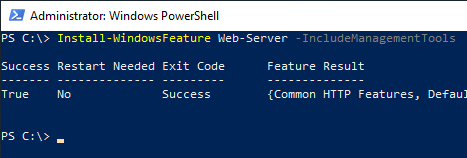
Then the binaries for the CAWE can be installed.
Install-WindowsFeature ADCS-Web-Enrollment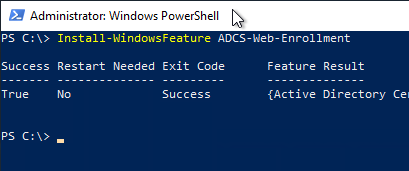
Setting up the CAWE role
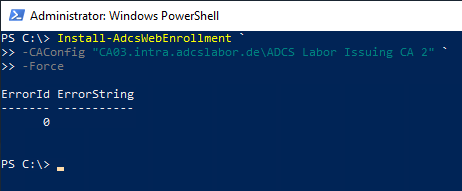
The following PowerShell command is used to set up the CAWE role:
Install-AdcsWebEnrollment -CAConfig "{ConfigSring}" -ForceThe placeholders mean the following:
- The placeholder {ConfigString} denotes the configuration string for the certification authority in the format "fully-qualified-hostname\common-name-of-CA", for example "CA03.intra.adcslabor.de\ADCS Labor Issuing CA 2".
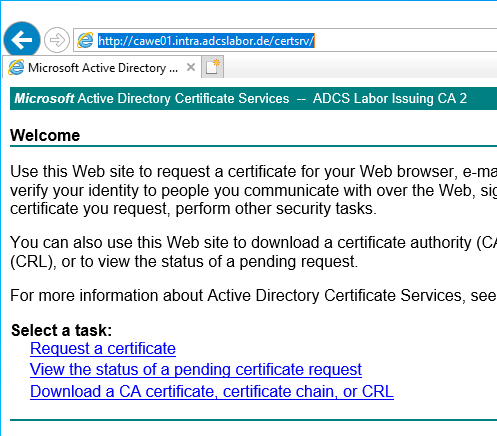
A first test by calling the CAWE can now be done via the following address:
http://{Servername-CAWE}/certsrvAt this point, no delegation settings have been made and no SSL certificate is available yet. This means that the credentials are transmitted in plain text and that no certificates can be requested yet. Both will be configured in the further course of the tutorial.
Setting up Secure Sockets Layer for the CAWE
Even if CAWE works without Secure Sockets Layer (SSL), it is recommended to request a certificate and allow connections only via SSL. How to configure a certificate template for such a certificate is described in the article "Configuring a Secure Socket Layer (SSL) Certificate Template for Web Server ".
The activation of SSL for the CAWE is described in the article "Enabling Secure Sockets Layer (SSL) for Certification Authority Web Enrollment (CAWE) ".
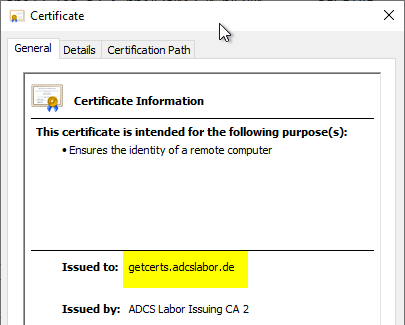
The identity within the SSL certificate must match either the fully qualified server name, or the alias, should the CAWE be operated with one.
Configuring the service account for the CAWE
The configuration of service accounts for CAWE is described in the following articles:
- Configuring CAWE for operation with a Group Managed Service Account (gMSA, recommended variant)
- Configuring the CAWE to work with a domain account (not recommended)
Related links:
- Required firewall rules for Certification Authority Web Enrollment
- Configure Certification Authority Web Enrollment (CAWE) for use with a domain account
- Configure Certification Authority Web Enrollment (CAWE) for use with a Group Managed Service Account (gMSA)
- Enabling Secure Sockets Layer (SSL) for Certification Authority Web Enrollment (CAWE)
External sources
- Install-AdcsWebEnrollment (Microsoft)
- Certification Authority Web Enrollment Guidance (Microsoft)
- How to configure the Windows Server 2008 CA Web Enrollment Proxy (Microsoft, archive.org)