
Install SSCEP for Linux (Debian Buster) and request certificates via the Network Device Enrollment Service (NDES)
If you want to equip a large number of systems with certificates, a manual request and renewal of the certificates is not an option. The only viable path is automation.
For systems that are not members of the Active Directory forest, an automatic certificate request via RPC/DCOM is not an option.
For certain use cases, the Simple Certificate Enrollment Protocol (SCEP) is an interesting alternative. For this protocol, there are clients not only for Windows but, with SSCEP, also for Linux. SSCEP is used, among others, by thin clients with the eLux operating system .
The following describes how to set up the SSCEP client on a Debian Buster Linux system - either to use it to manage servers or to be able to test the client-side behavior.
The Network Device Enrollment Service (NDES) provides a way for devices that do not have an identifier in Active Directory (for example, network devices such as routers, switches, printers, thin clients, or smartphones and tablets) to request certificates from a certification authority. For a more detailed description, see the article "Basics: Network Device Enrollment Service (NDES) ".
Compiling and installing the SSCEP client
Unfortunately, SSCEP is not yet available as a package for Debian. It must therefore be compiled from the source code.
To do this, the following dependencies must be installed:
apt install git build-essential automake libtool pkg-config libssl-devThen the source code can be downloaded from the Git repository.
git clone https://github.com/certnanny/sscep.git
cd sscep
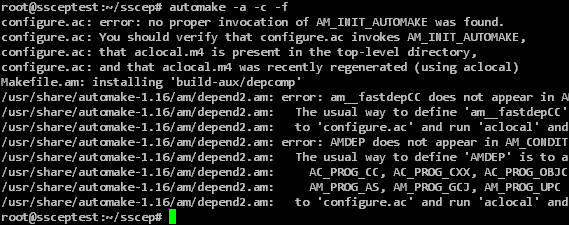
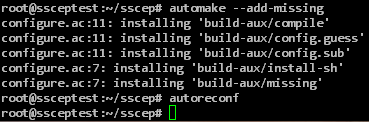
Since SSCEP was developed with cross-platform support in mind, the files needed to compile the source code for Linux must first be generated.
autoheader
libtoolize
automake -a -c -f
automake --add-missing
autoreconf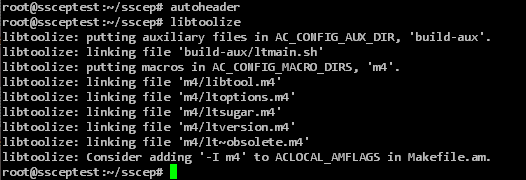
Afterwards, the source code can be compiled and the compiled program can be installed.
./configure
make
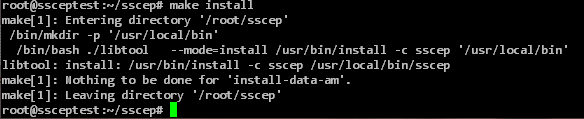
make install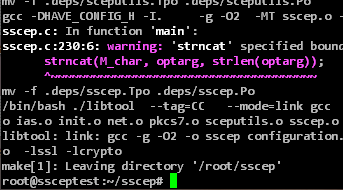
Configuring the SSCEP client
Do you know TameMyCerts? TameMyCerts is an add-on for the Microsoft certification authority (Active Directory Certificate Services). It extends the function of the certification authority and enables the application of rule sets to realize the secure automation of certificate issuance. TameMyCerts is unique in the Microsoft ecosystem, has already proven itself in countless companies around the world and is available under a free license. It can be downloaded via GitHub and used free of charge. Professional maintenance is also offered.
For the generation of a certificate request, a shell script called mkrequest is included in the source code, which has to be made executable and customized.
chmod +x mkrequest
nano mkrequest
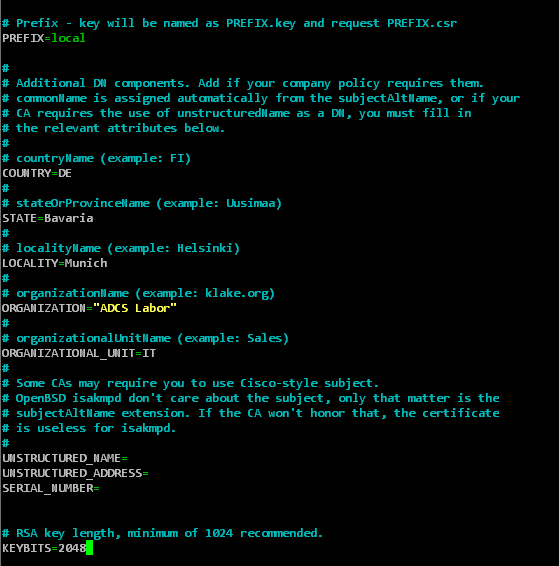
In the configuration file, the file names for certificate request and key, the general fields of the subject and the key length can be configured.
Please note that the certification authority behind NDES will reject the certificate request if the key length was configured too small here.
The script must also be adjusted so that (if this is used) the one-time password is in the correct encoding. The following line must be added in the "[ req ]" section:
string_mask = nombstr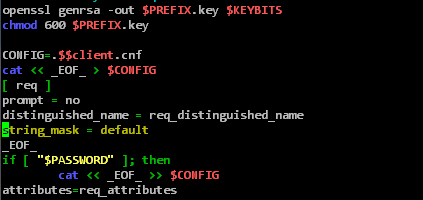
This step is required because OpenSSL encodes certificate attributes in UTF-8 in the default configuration, including the one-time password that is stored as an attribute in the certificate request. NDES cannot interpret a one-time password encoded in UTF-8, so the certificate request would fail.
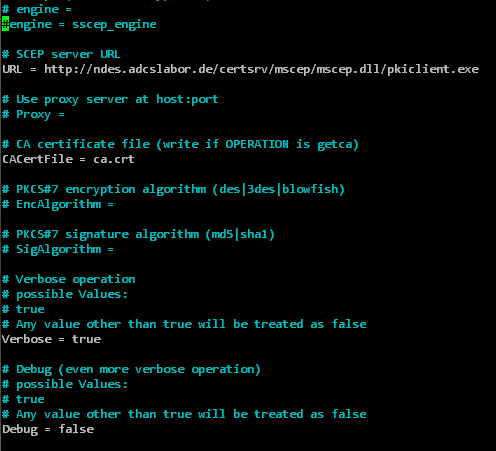
For SSCEP, a configuration file is also included in the source code, which has to be adapted.
nano sscep.cnfThe following settings should be made here:
| Variable | Description | Example |
|---|---|---|
| URL | The full address of the NDES server. | http://{ndes-server}/certsrv/mscep/mscep.dll/pkiclient.exe |
| CACertFile | The file name of the certification authority certificate (will be loaded from the NDES server in the following step and written to this file). | ca.crt |
| Debug | Debug logging. This is enabled by default, but generates a lot of command line output. | false |
In the next step, the GetCACert operation can now be triggered.
sscep getca -f sscep.cnf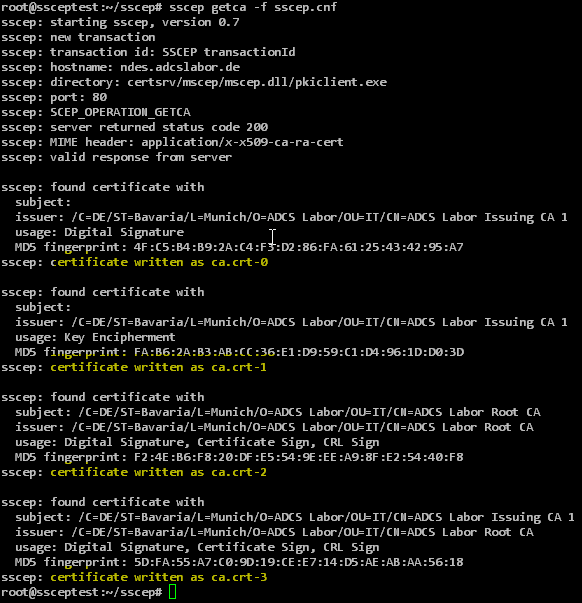
NDES returns more than one certificate. These are given a suffix (0...n), following the file name configured in the URL variable.
With a two-tier certification authority hierarchy, there are four certificates in total:
| File name | Certificate type |
|---|---|
| ca.crt-0 | NDES Enrollment Agent certificate |
| ca.crt-1 | NDES CEP Encryption certificate |
| ca.crt-2 | CA certificate of the root certification authority |
| ca.crt-3 | CA certificate of the issuing certification authority |
The CA certificate of the root CA can (and should) be verified to be the correct CA using the following command (the MD5 fingerprint is displayed in the NDES administration web page, the RFC requires that it be explicitly trusted):
openssl x509 -in ./ca.crt-2 -noout -fingerprint -md5
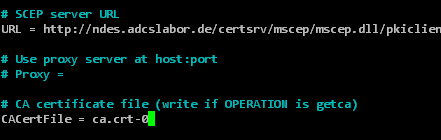
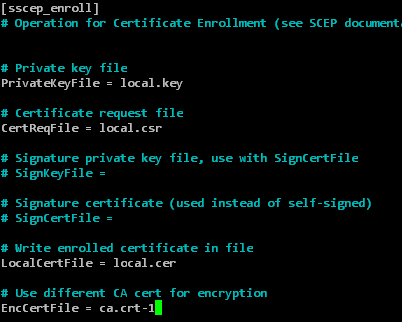
Afterwards, the sscep.cnf must be edited again.
nano sscep.cnfThe following variables must be defined.
| Variable | Description | Example |
|---|---|---|
| CaCertFile | must correspond to the NDES Enrollment Agent certificate | ca.crt-0 |
| EncCertFile | must correspond to the NDES CEP Encryption certificate | ca.crt-1 |
| LocalCertFile | must match the file name of the returned certificate | local.cer |
| CertReqFile | must correspond to the previously generated CSR | local.csr |
| PrivateKeyFile | must match the private key of the previously generated CSR | local.key |
Requesting a certificate with SSCEP
After the configuration is complete, the certificate request can be created and a certificate can be requested. If the NDES server requires a one-time password, this must of course be requested beforehand via the NDES administration web page.
./mkrequest -dns 'testsceprequest' {Einmalkennwort}
sscep enroll -f ./sscep.cnf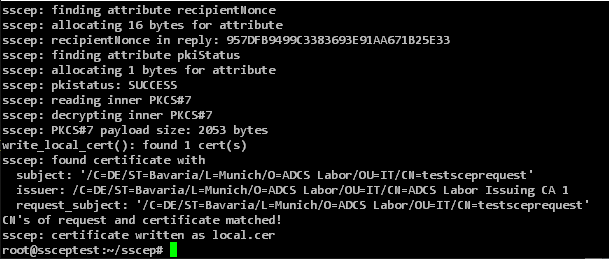
Troubleshooting
SSCEP will unfortunately give the same error message in almost all cases when the NDES server has rejected the certificate request:
sscep: reason: Transaction not permitted or supported
sscep: illegal size of payload
Here are some possible causes that can trigger this error message:
- Wrong or already used challenge password (would trigger event 29 on the NDES server ).
- Encoding of the challenge password in UTF-8 instead of PrintableString (would trigger event 29 on the NDES server ).
- Key size too small (would trigger event 31 on the NDES server ).
In sscep.cnf, the debug directive can be set to true to output more detailed messages as well as the SCEP messages on the command line. The PKCS#7 response of the NDES server usually contains an attribute which holds the SCEP error code according to RFC .
Related links
- Certificate request for Windows systems via the Network Device Enrollment Service (NDES) with Windows PowerShell
- Manually requesting a Remote Desktop (RDP) certificate
- Basics: Manual and automatic certificate request via Lightweight Directory Access Protocol (LDAP) and Remote Procedure Call / Distributed Common Object Model (RPC/DCOM)
External sources
- certnanny / sscep (GitHub)
- draft-nourse-scep-23 - Simple Certificate Enrollment Protocol (Internet Engineering Task Force)
- Das hardwareunabhängige Betriebssystem für Cloud-Computing (Unicon GmbH)
- OpenSSL req (OpenSSL Software Foundation)