
Decommissioning of an Active Directory integrated certification authority (Enterprise CA)
There are many instructions for setting up and commissioning IT services. However, the associated instructions for decommissioning are usually forgotten.
The following describes how to correctly decommission a certification authority integrated into Active Directory (Enterprise Certification Authority).
Questions
Before uninstalling the certification authority, the following questions should be answered:
- Is the certification authority being decommissioned, or is it to be migrated to another server and continue to operate there? Then see article "Migration of an Active Directory integrated certification authority (Enterprise Certification Authority) to another server ".
- Has the most recent certification authority certificate already expired, or is it still valid? Are there possibly still certificates issued by the certification authority that are within their validity period?
- Should the server (or its operating system installation) on which the certification authority is installed be reused for another purpose?
Procedure
Do you know TameMyCerts? TameMyCerts is an add-on for the Microsoft certification authority (Active Directory Certificate Services). It extends the function of the certification authority and enables the application of rule sets to realize the secure automation of certificate issuance. TameMyCerts is unique in the Microsoft ecosystem, has already proven itself in countless companies around the world and is available under a free license. It can be downloaded via GitHub and used free of charge. Professional maintenance is also offered.
The process consists of the following sub-steps:
- Timely discontinuation of certificate issuance and rejection of pending certificate requests
- Revocation of all issued certificates that are still valid
- Adjusting the CRL validity and issuing a last CRL
- Creating a backup
- Identifying private keys
- Uninstalling the certification authority role
- Deleting the certification authority database
- Revocation of the certification authority certificate
- Removing the remaining components of the certification authority (CA) from Active Directory
- Deleting the computer account from Active Directory
When parts of the hierarchy are no longer available
If the certification authority has not been in operation for a long time, or the CRL of the root certification authority has already expired, the certification authority service may no longer start.
In this case, see article "The certification authority service does not start and throws the error message "The revocation function was unable to check revocation because the revocation server was offline. 0x80092013 (-2146885613 CRYPT_E_REVOCATION_OFFLINE)" ".
Details: Timely discontinuation of certificate issuance and rejection of pending certificate requests
To have all certificates issued by a certification authority expire on a certain date, the TameMyCerts Policy Module for Microsoft Active Directory Certificate Services can be used.
This step is only required if the certification authority certificate has not yet expired.
Published certificate templates should be removed from the certification authority so that no new certificate requests are submitted and no certificates are issued.
Pending certificate requests should be denied. Autoenrollment clients will evaluate this information and clean up the local certificate stores for pending certificate requests accordingly.
Clients should be allowed a certain amount of time to pick up the information and apply it accordingly (depends on how long clients are planned to be allowed to be offline).
Details: Revocation of all issued certificates that are still valid
This step is only required if the certification authority certificate has not yet expired. In this case, all certificates that are still within their validity period should be revoked.
If the certification authority certificate has already expired, all issued certificates have expired as well, so there is nothing to revoke.
Details: Adjusting the CRL validity and issuing a last CRL
This step is only required
- if the certification authority certificate has not yet expired.
- if the associated certification authority hierarchy remains in operation, i.e., the root certification authority continues to be trusted.
The CRL validity should be configured to exceed the expiration date of the certification authority certificate. A new CRL is then issued. It is kept available in the CRL distribution points until the expiration date of the certification authority.
Details: Creating a backup
To be able to restore the certification authority if in doubt, a last full backup including private key material should be created. See the following articles:
- Create a backup of a certification authority
- Create a backup of the private key of a certification authority
If a hardware security module (HSM) is used, the private keys must be backed up via its specific mechanisms.
Details: Identifying private keys
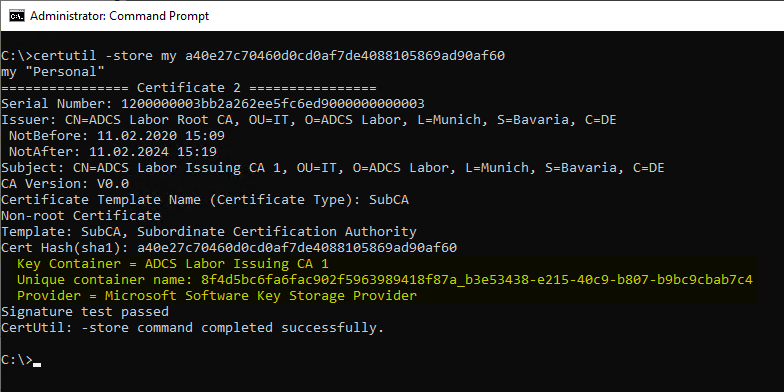
The uninstall routine does not delete the private keys of the certification authority. We therefore intend to delete them from the system ourselves later. However, the certification authority certificate is deleted by the uninstall routine, so it makes sense to collect the necessary information in advance.
If a hardware security module (HSM) is used, the private keys must be deleted via its specific mechanisms.
For each certification authority certificate, its fingerprint (thumbprint, the SHA-1 hash of the certificate) is determined and the necessary information is output with the following command.
certutil -store my {Thumbprint}The following information is important here:
- Key Container
- Unique container name
- Provider
Details: Uninstalling the certification authority role
An account with Enterprise Administrator permissions is required to uninstall the Certification Authority role. In addition, the account must be a local administrator on the certification authority server.
It is sufficient if the account has the right to delete the pKIEnrollmentService object of the certification authority. Nothing more is done in AD.
Please make sure that the Server Manager is working properly. See also article "Installation or uninstallation of a Windows feature fails with error message "The service is configured to not accept any remote shell requests." ".
Uninstalling the Certification Authority role has the following effects, among others.
- The certification authority certificate is deleted from the local certificate store, but the private key is not deleted.
- The "AIA" object in Active Directory remains and must be deleted manually if necessary.
- The Enrollment Services object in Active Directory is deleted, so the bindings of the certificate templates to this certification authority no longer apply either.
- CRL distribution points in Active Directory are retained and must be deleted manually if necessary.
- The certification authority certificate is not deleted from NTAuthCertificates; it must be removed manually if necessary.
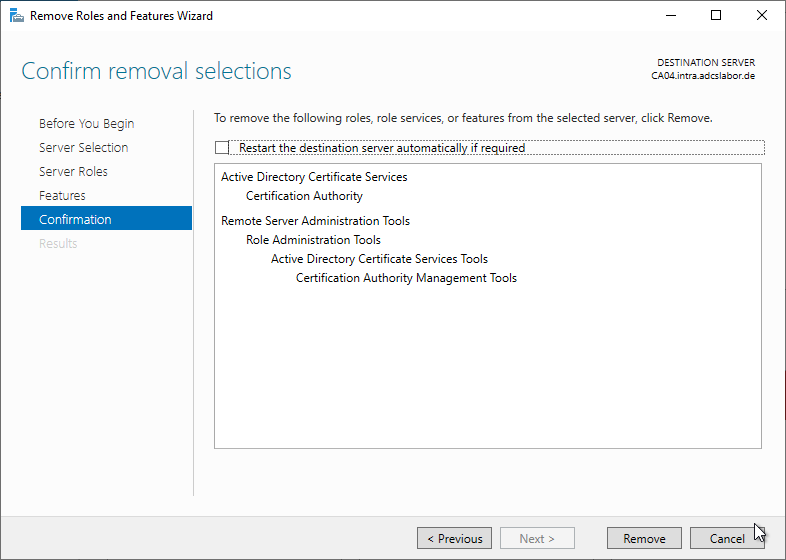
With Windows PowerShell, the Certification Authority role can be uninstalled using the following command.
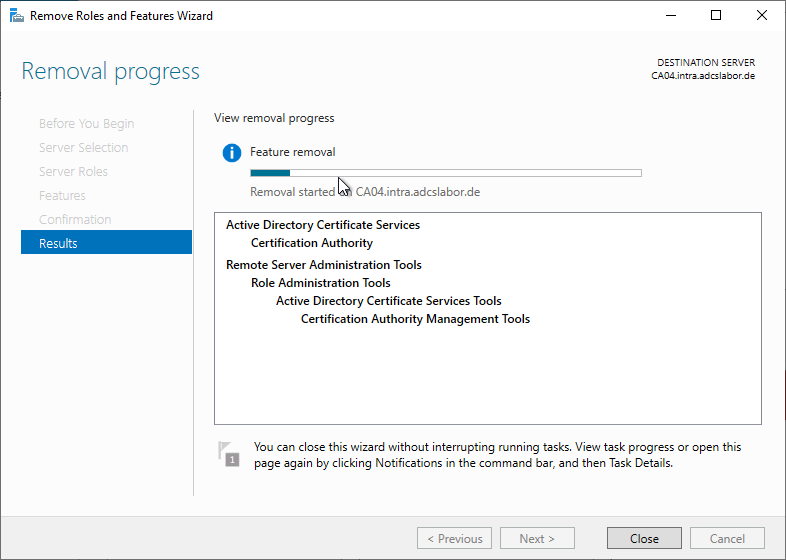
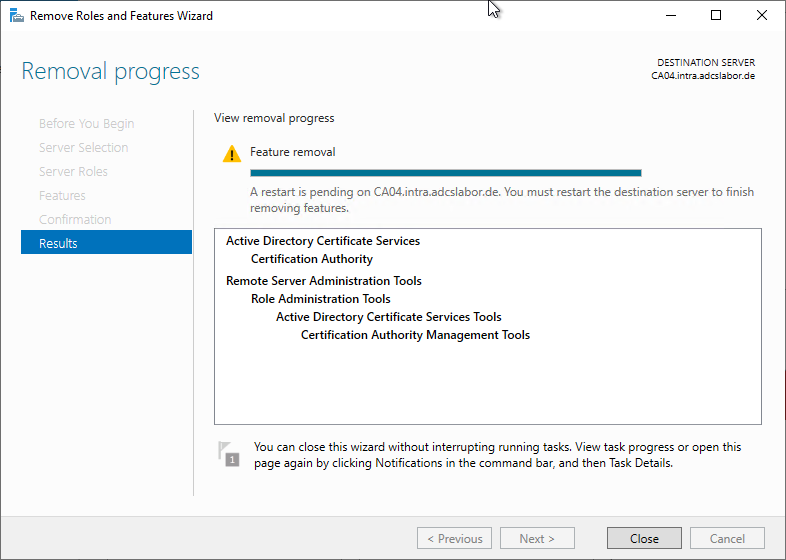
Remove-WindowsFeature ADCS-Cert-AuthorityUninstalling the Certification Authority role is also possible via the Server Manager.
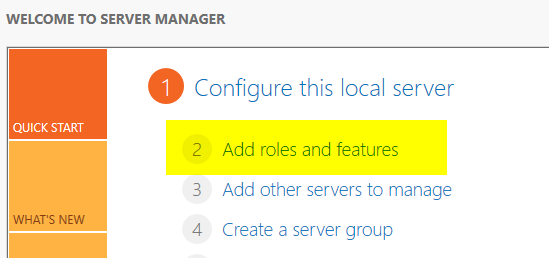
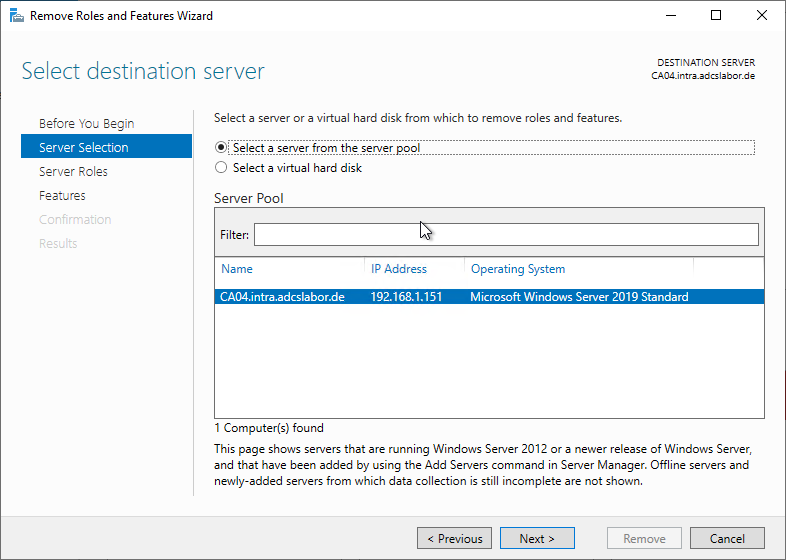
To do this, the "Remove Roles and Features Wizard" is called.
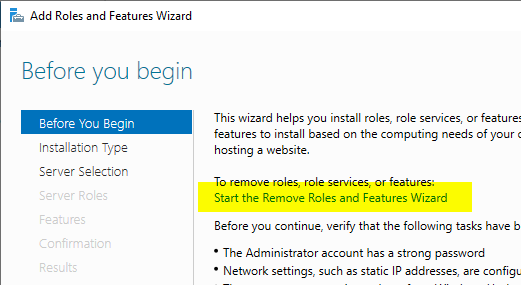
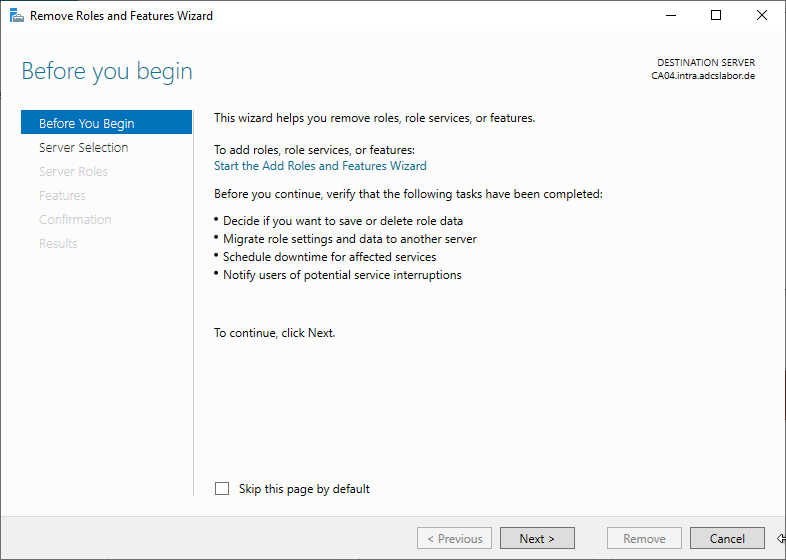
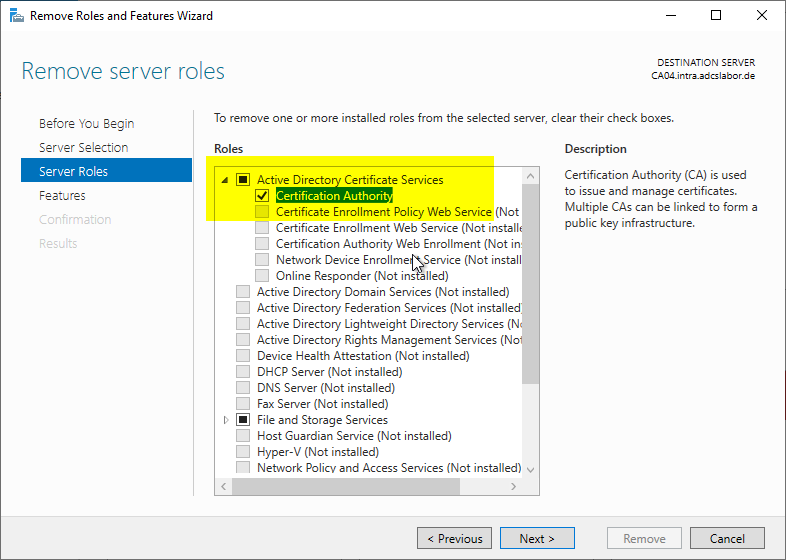
The "Certification Authority" role is now deselected.
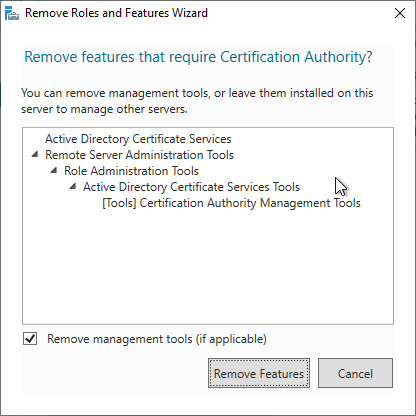
The management tools can be uninstalled. However, if it is the last certification authority server on the network, it may be helpful to leave them installed for the subsequent cleanup.
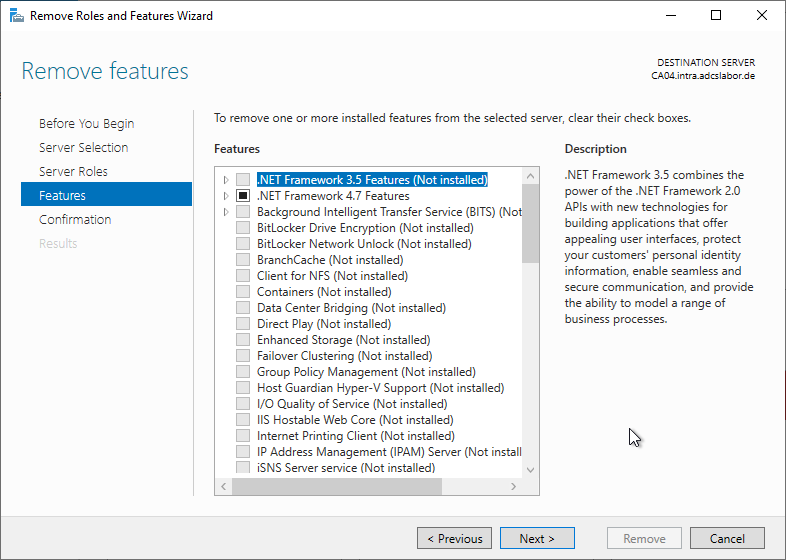
Details: Deleting the private key
The procedure that applies to software keys is described below. If a hardware security module (HSM) is used, the keys must be deleted via its management tools.
Without the "-csp" parameter, the "-key" command displays only keys that are based on a Cryptographic Service Provider (CSP) , and thus usually none for certification authority keys.
certutil -key -csp "Microsoft Software Key Storage Provider"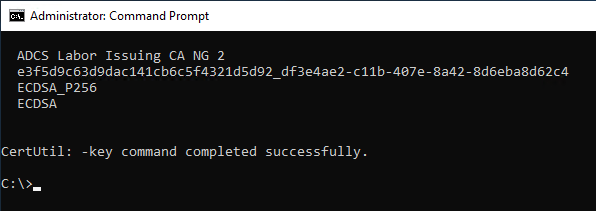
certutil -csp "Microsoft Software Key Storage Provider" -delkey "ADCS Labor Issuing CA NG 2"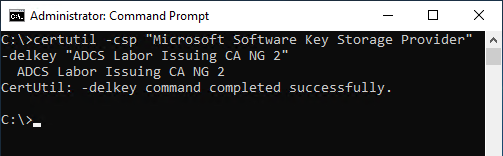
The deletion can also be performed using the displayed key identifier:
certutil -csp "Microsoft Software Key Storage Provider" -delkey {Identifizierer}Details: Deleting the certification authority database
The certification authority database is not deleted by uninstalling the certification authority role. It must therefore be deleted manually if the server is to continue to be used. The default installation path is:
C:\Windows\System32\CertLogDetails: Revocation of the certification authority certificate
The certification authority certificate should now be revoked, or the revocation should be requested from the parent certification authority. See also article "Revoking an issued certificate ".
Details: Removing the remaining components of the certification authority (CA) from Active Directory
The following entries in the Public Key Services container in Active Directory are not removed by the uninstallation:
- NTAuthCertificates
- Authority Information Access (AIA)
- CRL Distribution Point (CDP)
Details: Deleting the computer account from Active Directory
If the computer on which the certification authority was installed is not to be used any further, the computer account can now be deleted from Active Directory.
Related links:
- Installation or uninstallation of a Windows feature fails with error message "The service is configured to not accept any remote shell requests."
- Migration of an Active Directory integrated certification authority (Enterprise Certification Authority) to another server