
Create a backup of a certification authority
Professional operation of a certification authority also includes the regular creation of backups.
The following describes which components need to be backed up and the associated procedure.
The following steps are deliberately solved via the command line so that they can be automated in a backup script.
Backup of the private key material
The backup of the private key material of a certification authority is deliberately not performed on a regular basis. A detailed description of this process can be found in the article "Create a backup of the private key of a certification authority ".
Backup of the certification authority data
Do you know TameMyCerts? TameMyCerts is an add-on for the Microsoft certification authority (Active Directory Certificate Services). It extends the function of the certification authority and enables the application of rule sets to realize the secure automation of certificate issuance. TameMyCerts is unique in the Microsoft ecosystem, has already proven itself in countless companies around the world and is available under a free license. It can be downloaded via GitHub and used free of charge. Professional maintenance is also offered.
The regular backup of a certification authority includes the following essential components:
- The certification authority policy file (capolicy.inf).
- The issued certificates, i.e., the certification authority database and, if set up, the emails from the SMTP exit module.
- The registry of the certification authority.
This data is sufficient to be able to restore the certification authority in an emergency. In addition, it makes sense to include the following components in the regular backup:
- The registry of the certification authority in human-readable format.
- A list of the certificate revocation lists (CRLs) published on the certification authority.
- The certification authority certificates (without private keys) and CRLs (for performing emergency signing).
- The security event log of the certification authority.
- The certificate templates belonging to the certification authority in human-readable format.
- The Active Directory objects belonging to the certification authority
- Additionally, scripts and scheduled tasks set up for the operation of the certification authority (e.g. copy scripts for the CRLs ).
- If available, the installation and configuration files for the hardware security module.
Backup of the certification authority policy file (capolicy.inf)
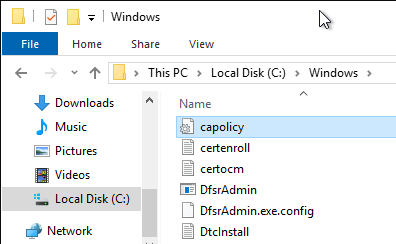
The certification authority policy file (capolicy.inf) describes basic configuration settings for a certification authority. It is located in C:\Windows\System32. It is sufficient to make a copy of the file.
Backup of the certification authority database
The certification authority database contains a log of all certificates issued and revoked by the certification authority, as well as certificate requests that have not yet been processed, failed or were denied. If activated, the private keys of the issued certificates are also archived in encrypted form.
The certification authority database can be backed up with the following command line command:
certutil -backupdb {Pfad-zur-Sicherung}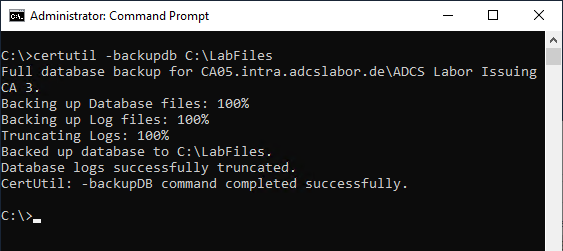
Optionally, a verification of the integrity of the certification authority database backup can then be performed.
Backup of the certification authority registry
The registry of the certification authority contains all configuration settings for the certification authority. It is located under "HKLM\System\CurrentControlSet\Services\CertSvc". It can be backed up with the following command line command:
reg export "HKLM\System\CurrentControlSet\Services\CertSvc" "{Pfad-zur-Sicherung}\CertSvc.reg"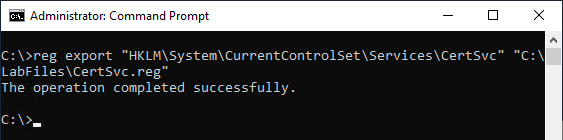
Backup of the certification authority registry (in human-readable format)
The previously performed export contains the settings in machine-readable form. To be able to gain insight into the configuration during the restore of a certification authority , it is helpful to keep a human-readable variant of the information. This can be created with the following command line commands.
certutil -v -getreg > "{Pfad-zur-Sicherung}\GetReg.txt"
certutil -v -getreg CA > "{Pfad-zur-Sicherung}\GetReg_Ca.txt"
certutil -v -getreg CA\CSP > "{Pfad-zur-Sicherung}\GetReg_Ca_Csp.txt"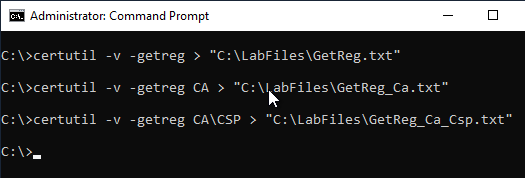
Backup of the certification authority certificates and CRLs
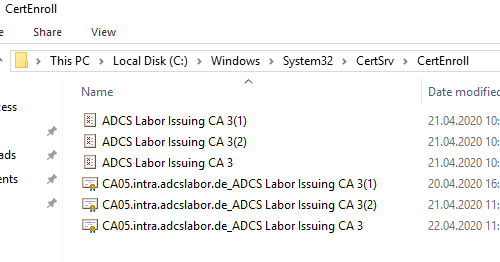
For the emergency signing of the CRLs and the restore of the certification authority certificates when using a hardware security module , the CertEnroll folder under C:\Windows\System32\CertSrv should be backed up.
Backup of the security event log of the certification authority
Provided that the auditing of certification authority events has been configured correctly, all security-relevant operations of the certification authority are written to the security event log. If no central collection of the event logs is implemented in the network, it may be useful to include the security event log in the backup to allow for later forensic analysis. The security event log can be backed up using the following command line command:
wevtutil export-log Security "{Pfad-zur-Sicherung}\EventLog_Security.evtx"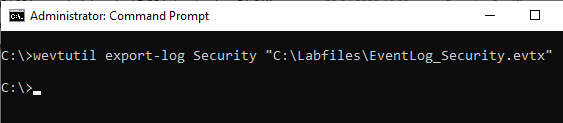
Backup of a list of the certificate templates published on the certification authority
This information is stored in Active Directory, but it may be useful to also back up a list of the certificate templates published on the certification authority for later use. This can be achieved with the following Windows PowerShell command.
Get-CATemplate | Foreach-Object { $_.Name } | Out-File -FilePath "{Pfad-zur-Sicherung}\CATemplates.txt" –Encoding String –Force
Backup of the certificate templates belonging to the certification authority in human-readable format
To back up the current configuration of the certificate templates bound to the certification authority, the following Windows PowerShell command can be used based on the previously created list:
Get-Content -Path "{Pfad-zur-Sicherung}\CATemplates.txt" | ForEach-Object { certutil -v -template $_ } > {Pfad-zur-Sicherung}\$_.txt}