
Allow requesting a specific signature key on a certification authority
The Microsoft certification authority always signs certificates with the key belonging to the most recent certification authority certificate. According to RFC 6960 , however, the signing certificate for an OCSP response should be signed by the same key as the certificate to be checked:
The CA SHOULD use the same issuing key to issue a delegation certificate as that used to sign the certificate being checked for revocation.
However, if the certification authority certificate is renewed and a new key pair is used in the process, it is necessary for the Online Responder to continue to maintain valid signing certificates for the certificates issued with the previous certification authority certificate, since these are still valid after all and must be checked for revocation.
The Online Responder (Online Certificate Status Protocol, OCSP) is an alternative way of providing revocation status information for certificates. Thanks to OCSP, entities that want to check the revocation status of a certificate do not have to download the complete list of all revoked certificates, but can send a specific request for the certificate in question to the Online Responder. For a more detailed description, see the article "Basics: Online Responder (Online Certificate Status Protocol, OCSP) ".
To ensure this, it is therefore necessary for the Online Responder to maintain a corresponding revocation configuration for each certification authority key for which there are issued certificates that are still within their validity period, and to request signing certificates.
Do you know TameMyCerts? TameMyCerts is an add-on for the Microsoft certification authority (Active Directory Certificate Services). It extends the function of the certification authority and enables the application of rule sets to realize the secure automation of certificate issuance. TameMyCerts is unique in the Microsoft ecosystem, has already proven itself in countless companies around the world and is available under a free license. It can be downloaded via GitHub and used free of charge. Professional maintenance is also offered.
To ensure that the requested signing certificate is signed by the certification authority with the appropriate key, the respective certificate request contains an extension called "Authority Key Identifier" (AKI), through which a signature with this key can be requested from the certification authority.
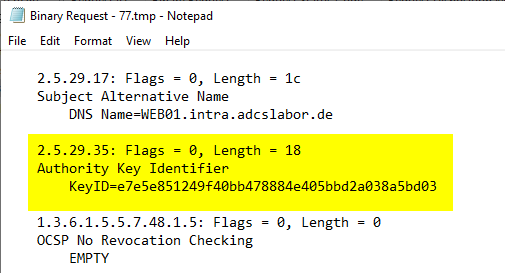
However, by default, the Microsoft certification authority ignores the AKI extension and signs the certificate request with the most recent key.
In order to get the certification authority to take the AKI extension into account, the following command must be executed on the certification authority:
certutil -setreg CA\UseDefinedCACertInRequest 1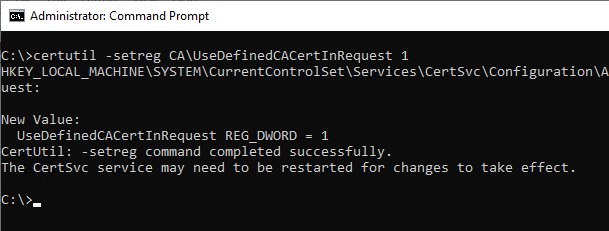
Afterwards, the certification authority service must be restarted for the changes to the configuration to be applied.
Related links:
- Certificate request fails with error message "The system cannot find the file specified. 0x80070002 (WIN32: 2 ERROR_FILE_NOT_FOUND)"
- Inspect a certificate request (CSR)
External sources
- RFC 6960 - X.509 Internet Public Key Infrastructure - Online Certificate Status Protocol - OCSP (Internet Engineering Task Force)